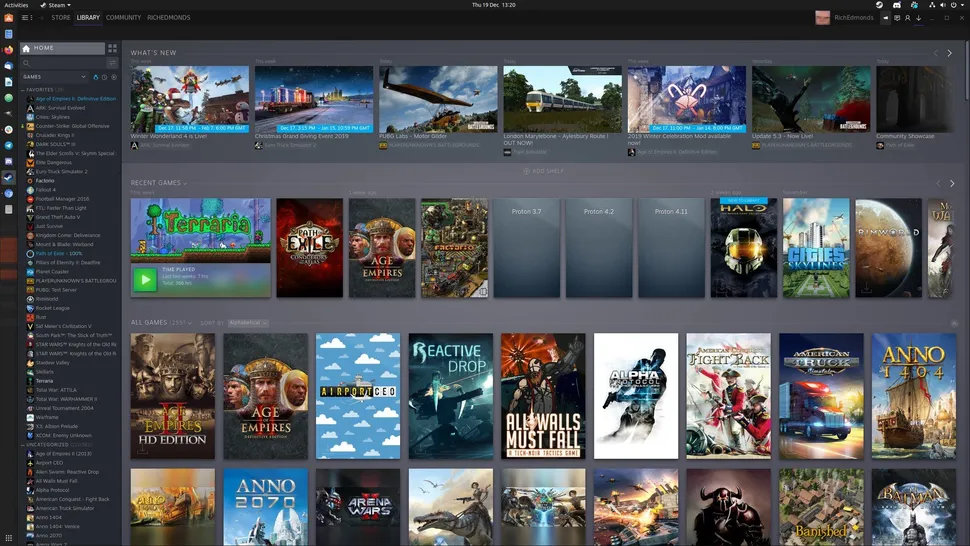
Steam Now you can play your favorite games on the operating system you own, which allows people who love games the freedom to choose the operating system and enjoy a good gaming experience, as making the Steam store work on Linux systems using Proton is a very simple process. What is Proton for Steam on Linux? Read also: 10 programs that you must download in the Linux operating system Guide to installing Proton on Linux First: Install Click on “Steam” in the upper left corner and choose “settings”.
Go to the “compatibility” options and then to the “Steam Play” section and activate “enable Steam play for all other titles” and choose the latest Proton version in the drop-down list and click “ok”. Restart Steam. Third: .
Where what are you waiting for? You must install Proton now to enjoy a distinctive gaming experience on the Linux system. Read also: 10 free online group games to play with your friends The 15 most important programs for gamers The best graphics cards for games and rendering
DROPIDEA
Esperamos que este artículo te haya aportado valor real. En DROPIDEA, siempre nos esforzamos por ofrecer contenido de alta calidad que te ayude a crecer y evolucionar en el espacio digital. Síguenos para más artículos y guías útiles.

Admin
DROPIDEA
Últimos artículos

Una cadena de televisión libra una batalla judicial para recuperar 50 terabytes de su archivo digital

La nueva función de cámara de Google es exclusiva para los teléfonos Pixel 11

Una nueva versión más aterradora de la película «Expediente X» llega a Hulu

Samsung prepara los auriculares Galaxy H1 para competir con los AirPods Max