افضل برامج تحرير الفيديو الاحترافية والمجانية لعام 2025
 بقلم الأدمن
تعد برامج تحرير الفيديو من الأدوات الأساسية التي يعتمد عليها صناع المحتوى، المبدعون، وحتى المحترفون في صناعة الأفلام والتلفزيون. في عام 2025، شهدنا تطوراً ملحوظاً في عالم الفيديو، خصوصاً مع ظهور مولدات الفيديو بالذكاء الاصطناعي . إلا أنها لا توفر مقدار التحكم والتخصيص الذي توفره برامج تحرير الفيديو الاختصاصية.
ولحسن الحظ، فقد ظهرت في الآونة الأخيرة مجموعة من البرامج التي توفر إمكانيات متقدمة سواء كانت مجانية أو مدفوعة. لذا، من خلال هذا المقال، سوف نستعرض أفضل برامج تحرير الفيديو التي تجمع بين الاحترافية وسهولة الاستخدام، مما يسمح للمستخدمين من جميع المستويات بإنشاء محتوى مرئي مميز. وسوف نضمن البرامج المجانية، محدودة الكلفة، وحتى المدفوعة منها.
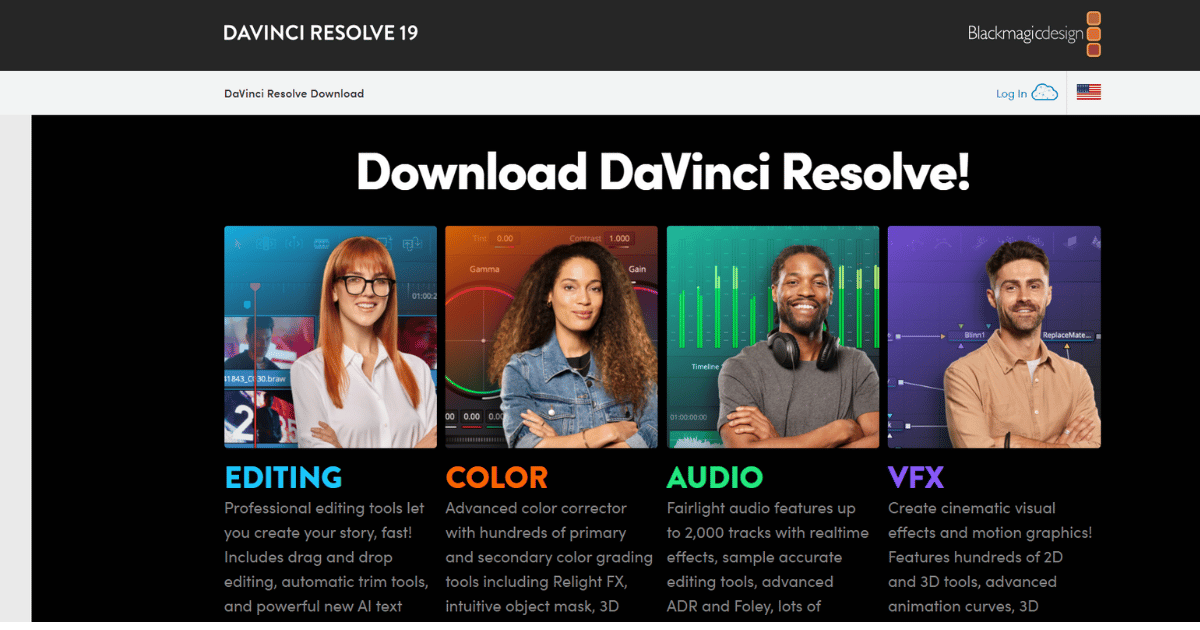
بحيث يمكنك حتماً إيجاد البرنامج الذي يتناسب مع احتياجاتك ومتطلباتك. افضل برامج تحرير الفيديو الاحترافية والمجانية DaVinci Resolve (نسخة مجانية + نسخة مدفوعة) Adobe Premiere Pro (نسخة مجانية + نسخة مدفوعة) Apple Final Cut Pro (نسخة مدفوعة فقط) CyberLink PowerDirector (مدفوع + نسخة تجريبية مجانية) Adobe Premiere Rush(نسخة مدفوعة + نسخة مجانية) Clipchamp (نسخة مدفوعة + نسخة مجانية) iMovie (برنامج تحرير فيديو مجاني) Kdenlive (مجاني ومفتوح المصدر) 1. DaVinci Resolve: افضل برامج تحرير الفيديو على الإطلاق هو من افضل برامج تحرير الفيديو الاحترافية لتحرير الفيديو والمونتاج، وتصحيح الألوان، والمؤثرات البصرية، والمزج الصوتي.
يُستخدم بشكل واسع في صناعة الأفلام والتلفزيون والإعلانات، ولكنه متاح أيضًا للمستقلين وصناع المحتوى بفضل وجود نسخة مجانية قوية. يجمع البرنامج بين أدوات تحرير متقدمة وتصحيح ألوان احترافي في حزمة واحدة، مما يجعله خيارًا شاملاً للمحترفين والهواة على حد سواء.
نوع البرنامج:
مجاني ومدفوع التفاصيل: الإصدار المجاني يحتوي على الكثير من الأدوات الاحترافية مثل التحرير والمونتاج وتصحيح الألوان. أما الإصدار المدفوع (DaVinci Resolve Studio) فهو يحتوي على ميزات إضافية مثل الدعم المتقدم للفيديوهات بدقة 8K وبعض أدوات التأثيرات الخاصة.
ميزات DaVinci Resolve : تحرير الفيديو والمونتاج: يوفر أدوات متقدمة للتحرير الخطي وغير الخطي، وتقطيع الفيديو، وإضافة المؤثرات الانتقالية، والتعامل مع المسارات المتعددة.
تصحيح الألوان:
يعتبر DaVinci Resolve رائداً في مجال تصحيح الألوان، حيث يقدم أدوات قوية لتعديل الألوان، وتوازن اللون الأبيض، وإضافة تأثيرات سينمائية. المؤثرات البصرية ( Fusion ): يحتوي على وحدة Fusion التي تسمح بإنشاء مؤثرات بصرية معقدة وتركيب مقاطع الفيديو.
المزج الصوتي ( Fairlight ): يوفر أدوات احترافية للمزج الصوتي، وإضافة المؤثرات الصوتية، والتحكم في مستويات الصوت. التعاون:
يدعم العمل الجماعي على المشاريع، مما يجعله مناسبًا لفرق العمل. دعم تنسيقات الفيديو المتعددة: يتعامل مع مجموعة واسعة من تنسيقات الفيديو والصوت.
عيوب DaVinci Resolve : متطلبات النظام: يتطلب DaVinci Resolve جهاز كمبيوتر قوي بمواصفات عالية، خاصة عند التعامل مع مشاريع الفيديو عالية الدقة.
واجهة المستخدم:
قد تكون واجهة المستخدم معقدة بعض الشيء للمبتدئين، وتحتاج إلى بعض الوقت للتعود عليها. التعلم: بسبب كثرة الميزات، يحتاج المستخدم إلى تعلم كيفية استخدام البرنامج بشكل فعال.
على الرغم من وجود العديد من الدروس التعليمية، إلا أن إتقانه يتطلب وقتًا وجهدًا. نسخة Studio : بعض الميزات المتقدمة، مثل بعض المؤثرات البصرية وميزات التعاون، متاحة فقط في نسخة Studio المدفوعة.
سعر DaVinci Resolve : DaVinci Resolve (النسخة المجانية): مجانية تمامًا، وتوفر العديد من الميزات الأساسية والمتقدمة التي تكفي معظم المستخدمين. DaVinci Resolve Studio: يبلغ سعرها 295 دولار أمريكي (شراء لمرة واحدة). هذا الإصدار يفتح جميع الميزات المتقدمة، بما في ذلك بعض المؤثرات البصرية، أدوات التعاون، ودعم دقة أعلى.
لا يوجد اشتراك شهري. ويمكنك الوصول للبرنامج من هنا: DaVinci Resolve . 2.
Adobe Premiere Pro: افضل برامج تحرير الفيديو للمحترفين هو برنامج تحرير فيديو احترافي يُستخدم على نطاق واسع في صناعة الأفلام والتلفزيون، وإنتاج الفيديو عبر الإنترنت، والمزيد. يُعتبر جزءًا من مجموعة Adobe Creative Cloud، ويتميز بتكامله مع برامج Adobe الأخرى مثل After Effects وAudition. يوفر Premiere Pro مجموعة شاملة من الأدوات لتحرير الفيديو، وتصحيح الألوان، والمؤثرات الصوتية، وإضافة المؤثرات البصرية، مما يجعله خياراً قوياً للمحترفين.
نوع البرنامج: مدفوع. التفاصيل:
يعد من أشهر برامج تحرير الفيديو الاحترافية ويتميز بالعديد من الأدوات المتقدمة تجعله ضمن واحد من أفضل برامج المونتاج . يتم الدفع عبر اشتراك شهري أو سنوي. يتوفر أيضًا مع مجموعة Adobe Creative Cloud.
ميزات Adobe Premiere Pro : تحرير الفيديو والمونتاج: يوفر أدوات متقدمة للتحرير الخطي وغير الخطي، وتقطيع الفيديو، وإضافة المؤثرات الانتقالية، والتعامل مع المسارات المتعددة، ودعم تنسيقات الفيديو المتعددة.
تصحيح الألوان:
يقدم أدوات لتعديل الألوان، وتوازن اللون الأبيض، وإضافة تأثيرات سينمائية. المؤثرات الصوتية: يتكامل مع Adobe Audition لتوفير أدوات احترافية للمزج الصوتي، وإضافة المؤثرات الصوتية، والتحكم في مستويات الصوت.
المؤثرات البصرية: يتكامل مع Adobe After Effects لإنشاء مؤثرات بصرية معقدة وتركيب مقاطع الفيديو. التعاون:
يدعم العمل الجماعي على المشاريع، مما يجعله مناسبًا لفرق العمل. الواقع الافتراضي ( VR ) ودعم 360 درجة: يوفر أدوات لتحرير مقاطع الفيديو بتقنية الواقع الافتراضي.
الذكاء الاصطناعي: يتضمن ميزات مدعومة بالذكاء الاصطناعي لتسريع بعض عمليات التحرير.
عيوب Adobe Premiere Pro : السعر:
يعتبر Premiere Pro مكلفًا نسبيًا مقارنة ببعض البدائل الأخرى، خاصة بالنسبة للمستخدمين ذوي الميزانيات المحدودة. متطلبات النظام: يتطلب Premiere Pro جهاز كمبيوتر قوي بمواصفات عالية، خاصة عند التعامل مع مشاريع الفيديو عالية الدقة.
التعقيد: قد تكون واجهة المستخدم معقدة بعض الشيء للمبتدئين، وتحتاج إلى بعض الوقت للتعود عليها. الاشتراك:
يعتمد Premiere Pro على نموذج الاشتراك الشهري، مما يعني أنك تحتاج إلى دفع رسوم شهرية لاستخدام البرنامج. سعر Adobe Premiere Pro : Adobe Premiere Pro متاح كجزء من Adobe Creative Cloud، ويوجد خيارات متعددة للدفع حيثُ تبدأ خطة Premiere Pro الفردية: 22.99 دولار أمريكي شهرياً (خطة سنوية، تدفع شهرياً). ويمكنك الوصول للبرنامج من هنا: Adobe Premiere Pro .
3. Apple Final Cut Pro: افضل برامج تحرير الفيديو من ابل هو برنامج تحرير فيديو احترافي من Apple مصمم خصيصًا لنظام macOS. يُعتبر منافسًا رئيسيًا لـ Adobe Premiere Pro، ويُستخدم على نطاق واسع في صناعة الأفلام، والتلفزيون، وإنتاج الفيديو الاحترافي وأحد أفضل برامج المونتاج للماك .
يتميز Final Cut Pro بواجهة مستخدم سلسة، وأداء قوي، وتكامل وثيق مع نظام macOS والأجهزة الأخرى من Apple. نوع البرنامج: مدفوع.
التفاصيل: Final Cut Pro هو برنامج تحرير فيديو احترافي من Apple يعمل حصريًا على نظام macOS. يعد من أقوى البرامج في صناعة التحرير السينمائي والتلفزيوني، حيث يوفر مجموعة من الأدوات المتقدمة مثل التعديل المتعدد المسارات، التصحيح اللوني، تحرير الفيديو بدقة عالية 4K و HDR.
يتميز Final Cut Pro بدعمه لتقنية المعالجة متعددة النوى و التحرير بدون تأخير، مما يجعله مناسبًا لتحرير المشاريع الكبيرة والمعقدة. ميزات Final Cut Pro : واجهة مستخدم بديهية: يتميز Final Cut Pro بواجهة مستخدم حديثة وسهلة الاستخدام، مما يجعله مناسبًا للمحترفين والمبتدئين على حد سواء.
أداء قوي: تم تحسين Final Cut Pro للعمل بشكل مثالي على أجهزة Mac، مما يوفر أداءً سريعًا وسلسًا حتى مع مشاريع الفيديو عالية الدقة.
خطوط زمنية مغناطيسية:
تستخدم Final Cut Pro خطوط زمنية مغناطيسية تسهل عملية تحرير الفيديو وتنظيمه. أدوات تحرير متقدمة: يوفر مجموعة شاملة من الأدوات لتحرير الفيديو، وتقطيع الفيديو، وإضافة المؤثرات الانتقالية، والتعامل مع المسارات المتعددة.
تصحيح الألوان: يقدم أدوات لتعديل الألوان، وتوازن اللون الأبيض، وإضافة تأثيرات سينمائية.
المؤثرات الصوتية:
يتكامل مع أدوات معالجة الصوت في macOS لتوفير أدوات للمزج الصوتي، وإضافة المؤثرات الصوتية، والتحكم في مستويات الصوت. المؤثرات البصرية: يوفر أدوات لإنشاء مؤثرات بصرية وتركيب مقاطع الفيديو.
دعم تنسيقات الفيديو المتعددة: يتعامل مع مجموعة واسعة من تنسيقات الفيديو والصوت. تكامل مع الأجهزة:
يتكامل بشكل وثيق مع أجهزة Apple الأخرى، مثل iPad وiPhone. عيوب Final Cut Pro : نظام التشغيل: يعمل Final Cut Pro حصريًا على نظام macOS، مما يعني أنه لا يمكن استخدامه على أنظمة تشغيل أخرى مثل Windows أو Linux.
السعر: يعتبر Final Cut Pro مكلفًا نسبيًا مقارنة ببعض البدائل الأخرى، على الرغم من أنه يُدفع مرة واحدة بدلاً من الاشتراك الشهري. التعقيد:
على الرغم من واجهة المستخدم البديهية، قد يحتاج المستخدم إلى بعض الوقت لتعلم كيفية استخدام جميع الميزات المتقدمة في البرنامج. سعر Final Cut Pro : Final Cut Pro متاح بسعر 299.99 دولار أمريكي. يتم دفع هذا المبلغ مرة واحدة للحصول على ترخيص دائم للبرنامج.
لا يوجد اشتراك شهري أو سنوي. يمكنك شراؤه من متجر تطبيقات Mac. ويمكنك الوصول إلى البرنامج من هنا: Apple Final Cut Pro .
4. CyberLink PowerDirector: افضل برامج تحرير الفيديو للمبتدئين هو من افضل برامج تحرير الفيديو للمبتدئين والمحترفين على حد سواء. يُعرف البرنامج بواجهة مستخدم سهلة الاستخدام ومجموعة واسعة من الميزات، مما يجعله خيارًا شائعًا للأشخاص الذين يرغبون في إنشاء مقاطع فيديو عالية الجودة بسرعة وسهولة.
يُقدم PowerDirector مجموعة متنوعة من الأدوات لتحرير الفيديو، وإضافة المؤثرات، وتصحيح الألوان، والمزج الصوتي، وإنشاء أقراص DVD، ومشاركة مقاطع الفيديو على الإنترنت. نوع البرنامج: مدفوع (يوجد نسخة تجريبية مجانية). التفاصيل: يعتبر من افضل برامج تحرير الفيديو سهلة الاستخدام.
يحتوي على مجموعة واسعة من الأدوات الخاصة بالتحرير والمؤثرات. يتوفر بنسخ مختلفة منها النسخة الأساسية والمتقدمة. ميزات CyberLink PowerDirector : واجهة مستخدم سهلة الاستخدام:
يتميز PowerDirector بواجهة مستخدم بديهية ومنظمة، مما يجعل عملية تحرير الفيديو سهلة ومباشرة، حتى للمبتدئين. أدوات تحرير قوية: يوفر مجموعة واسعة من الأدوات لتحرير الفيديو، بما في ذلك تقطيع الفيديو، وإضافة المؤثرات الانتقالية، والتعامل مع المسارات المتعددة، وإضافة النصوص والعناوين.
مكتبة مؤثرات ومقاطع فيديو جاهزة : يوفر PowerDirector مكتبة ضخمة من المؤثرات الصوتية والمرئية، والقوالب الجاهزة، ومقاطع الفيديو الخالية من حقوق الملكية التي يمكن استخدامها في مشاريعك. تصحيح الألوان: يقدم أدوات لتعديل الألوان، وتوازن اللون الأبيض، وإضافة تأثيرات سينمائية.
المؤثرات الصوتية: يوفر أدوات للمزج الصوتي، وإضافة المؤثرات الصوتية، والتحكم في مستويات الصوت. إنشاء أقراص DVD :
يتيح لك PowerDirector إنشاء أقراص DVD عالية الجودة من مقاطع الفيديو الخاصة بك. مشاركة الفيديو عبر الإنترنت: يمكنك بسهولة مشاركة مقاطع الفيديو الخاصة بك على منصات التواصل الاجتماعي مثل YouTube وFacebook.
دعم تنسيقات الفيديو المتعددة: يتعامل مع مجموعة واسعة من تنسيقات الفيديو والصوت. تقنيات الذكاء الاصطناعي:
يتضمن بعض الأدوات المدعومة بالذكاء الاصطناعي لتسهيل عملية التحرير. عيوب CyberLink PowerDirector : الإصدار المجاني محدود: الإصدار المجاني من PowerDirector يقدم مجموعة محدودة من الميزات، وقد تحتاج إلى الترقية إلى الإصدار المدفوع للاستفادة من جميع الميزات المتاحة.
قد يكون ثقيلاً على الأجهزة الضعيفة: قد يتطلب PowerDirector جهاز كمبيوتر قوي بمواصفات عالية، خاصة عند التعامل مع مشاريع الفيديو عالية الدقة. بعض الميزات الاحترافية قد تكون غير متوفرة:
قد لا يوفر PowerDirector بعض الميزات المتقدمة الموجودة في برامج تحرير الفيديو الاحترافية الأخرى. سعر CyberLink PowerDirector : يقدم البرنامج خيارات اشتراك متعددة، ويتيح البرنامج اشتراك سنوي أو شهري، يمنحك الوصول إلى جميع الميزات، والتحديثات المستمرة، والمحتوى الإضافي الحصري. وتبدأ الأسعار من 4.58$ شهرياً (54.99$ سنوياً).
ويمكن الوصول للبرنامج من هنا: CyberLink PowerDirector . 5. Adobe Premiere Rush افضل برامج تحرير الفيديو الاحترافية المصممة للمبدعين الذين ينشئون محتوى فيديو على الأجهزة المحمولة وسطح المكتب.
يهدف إلى تبسيط عملية تحرير الفيديو وتقديم أدوات سهلة الاستخدام لإنشاء مقاطع فيديو جذابة بسرعة. يُعتبر Premiere Rush مثاليًا للمؤثرين على وسائل التواصل الاجتماعي، وصناع المحتوى، والهواة الذين يرغبون في إنتاج مقاطع فيديو عالية الجودة دون الحاجة إلى خبرة كبيرة في تحرير الفيديو. يتكامل البرنامج مع Adobe Creative Cloud، مما يتيح للمستخدمين الوصول إلى مشاريعهم من أي جهاز.
نوع البرنامج: مجاني ومدفوع. التفاصيل: هو إصدار مبسط من Adobe Premiere Pro ويستهدف المبتدئين وصانعي المحتوى على الشبكات الاجتماعية. يتوفر بنسخة مجانية مع ميزات محدودة، بينما يمكن الاشتراك في النسخة المدفوعة للحصول على مزيد من الأدوات والقدرات.
ميزات Premiere Rush : واجهة مستخدم بسيطة: يتميز Premiere Rush بواجهة مستخدم سهلة الاستخدام وبديهية، مما يجعل عملية تحرير الفيديو بسيطة ومباشرة. تحرير فيديو سريع:
يوفر أدوات لتحرير الفيديو بسرعة، مثل تقطيع الفيديو، وإضافة المؤثرات الانتقالية، وإضافة النصوص والعناوين. قوالب جاهزة: يتضمن قوالب جاهزة للاستخدام لتسريع عملية الإنتاج.
تصحيح الألوان: يقدم أدوات بسيطة لتعديل الألوان وتحسين مظهر الفيديو. المؤثرات الصوتية:
يوفر أدوات لإضافة المؤثرات الصوتية والموسيقى إلى الفيديو. الرسوم المتحركة: يتضمن بعض الأدوات لإنشاء رسوم متحركة بسيطة.
مشاركة سهلة: يتيح لك Premiere Rush مشاركة مقاطع الفيديو الخاصة بك مباشرة على منصات التواصل الاجتماعي مثل YouTube وInstagram و TikTok. تزامن عبر الأجهزة:
يمكنك الوصول إلى مشاريعك من أي جهاز، سواء كان جهازًا محمولًا أو سطح مكتب، بفضل التكامل مع Adobe Creative Cloud. عيوب Adobe Premiere Rush : ميزات محدودة: بالمقارنة مع برامج تحرير الفيديو الاحترافية مثل Adobe Premiere Pro، يقدم Premiere Rush مجموعة محدودة من الميزات.
قد لا يكون كافيًا للمستخدمين الذين يحتاجون إلى أدوات تحرير متقدمة. السعر: على الرغم من سهولة استخدامه، إلا أن Premiere Rush يعتمد على نموذج الاشتراك، مما قد يكون مكلفًا بالنسبة لبعض المستخدمين.
الأداء: قد يكون الأداء أبطأ على الأجهزة الأقل قوة، خاصة عند التعامل مع مشاريع الفيديو عالية الدقة. سعر Adobe Premiere Rush : Adobe Premiere Rush متاح كجزء من Adobe Creative Cloud، ويتوفر بخيارات اشتراك متعددة، حيث تبدأ خطة Premiere Rush الفردية من 9.99$ دولارًا أمريكي شهرياً (خطة سنوية، تدفع شهريًا).
ويمكنك الوصول إلى البرنامج من هنا: Adobe Premiere Rush . 6. Clipchamp افضل برامج تحرير الفيديو المجانية، مع نسخة مدفوعة احترافية.
وهو برنامج سهل الاستخدام مصمم للمبتدئين والمحترفين على حد سواء. يتميز بواجهة بسيطة ويدعم مجموعة متنوعة من الميزات، بما في ذلك تحرير الفيديو الأساسي، وإضافة المؤثرات، والنصوص، والموسيقى، بالإضافة إلى ميزات فريدة مثل الترجمة التلقائية وتحويل النص إلى كلام. يعمل Clipchamp مباشرة في المتصفح، مما يجعله مناسبًا للاستخدام على أي جهاز.
نوع البرنامج: مجاني ومدفوع. التفاصيل:
هو برنامج تحرير فيديو يعتمد على الإنترنت. يحتوي على نسخة مجانية بها أدوات أساسية، بينما توجد النسخة المدفوعة التي توفر ميزات إضافية مثل أدوات تأثيرات الفيديو والصوت. ميزات Clipchamp : تحرير فيديو سهل:
يوفر أدوات أساسية لتحرير الفيديو مثل القص، والدمج، وإضافة المؤثرات الانتقالية، والنصوص، والعناوين. مكتبة الوسائط: يحتوي على مكتبة ضخمة من مقاطع الفيديو والصوت والصور الخالية من حقوق الملكية.
قوالب جاهزة: يقدم قوالب فيديو جاهزة للاستخدام لتسريع عملية الإنتاج. تصحيح الألوان:
يوفر أدوات بسيطة لتعديل الألوان وتحسين مظهر الفيديو. المؤثرات الصوتية: يوفر أدوات لإضافة المؤثرات الصوتية والموسيقى إلى الفيديو.
الترجمة التلقائية: ميزة فريدة تتيح إضافة ترجمات تلقائية إلى مقاطع الفيديو. تحويل النص إلى كلام:
ميزة أخرى فريدة تتيح تحويل النص المكتوب إلى كلام مسموع وإضافته إلى الفيديو. مشاركة سهلة: يتيح لك Clipchamp مشاركة مقاطع الفيديو الخاصة بك مباشرة على منصات التواصل الاجتماعي مثل YouTube وTikTok.
يعمل في المتصفح: لا يتطلب تثبيت أي برنامج، ويمكن استخدامه على أي جهاز متصل بالإنترنت. عيوب Clipchamp : ميزات محدودة:
بالمقارنة مع برامج تحرير الفيديو الاحترافية، يقدم Clipchamp مجموعة محدودة من الميزات. قد لا يكون كافيًا للمستخدمين الذين يحتاجون إلى أدوات تحرير متقدمة. يعتمد على الإنترنت:
يتطلب Clipchamp اتصالاً ثابتاً بالإنترنت للعمل بشكل صحيح. الأداء: قد يكون الأداء أبطأ على الأجهزة الأقل قوة أو مع اتصالات الإنترنت البطيئة.
النسخة المجانية محدودة: النسخة المجانية من Clipchamp تقدم بعض القيود على جودة الفيديو وبعض الميزات. سعر Clipchamp : Clipchamp يقدم خطط اشتراك متعددة: الخطة المجانية:
تقدم ميزات أساسية لتحرير الفيديو بجودة محدودة. الخطة Plus : تتيح تصدير فيديوهات بجودة أعلى، وتوفر مزايا إضافية.
الخطة Premium : تفتح جميع الميزات، بما في ذلك الترجمة التلقائية، وتحويل النص إلى كلام، ومكتبة وسائط موسعة. وتأتي مقابل 11.99$ شهرياً.
ويمكن الوصول للبرنامج من هنا: Clipchamp . 7. iMovie: افضل برنامج تحرير فيديو مجاني برنامج تحرير فيديو مجاني وسهل الاستخدام من Apple، مصمم خصيصًا لنظام macOS و iOS و iPadOS.
يُعتبر iMovie خيار مثالي للمبتدئين والهواة الذين يرغبون في إنشاء مقاطع فيديو بسيطة وممتعة بسرعة وسهولة ونعتبره ضمن أفضل برامج تصميم فيديو للايفون المجانية. يوفر البرنامج مجموعة متنوعة من الأدوات لتحرير الفيديو، وإضافة المؤثرات، والنصوص، والموسيقى، ومشاركة مقاطع الفيديو على الإنترنت.
يتميز iMovie بواجهة مستخدم بديهية وتكامل سلس مع نظام Apple البيئي، مما يجعله من افضل برامج تحرير الفيديو لأجهزة أبل. نوع البرنامج: مجاني.
التفاصيل: برنامج تحرير الفيديو المقدم من أبل لأجهزة Mac وiOS. بسيط ومناسب للمستخدمين المبتدئين.
يوفر أدوات أساسية لتحرير الفيديو ولكن قد لا يكون مثاليًا للأعمال الأكثر تعقيداً. ميزات iMovie : واجهة مستخدم بسيطة: يتميز iMovie بواجهة مستخدم سهلة الاستخدام وبديهية، مما يجعل عملية تحرير الفيديو بسيطة ومباشرة، حتى للمبتدئين.
أدوات تحرير أساسية: يوفر أدوات أساسية لتحرير الفيديو، مثل تقطيع الفيديو، والدمج، وإضافة المؤثرات الانتقالية، والنصوص، والعناوين. قوالب جاهزة:
يتضمن قوالب جاهزة للاستخدام لتسريع عملية الإنتاج. تصحيح الألوان: يقدم أدوات بسيطة لتعديل الألوان وتحسين مظهر الفيديو.
المؤثرات الصوتية: يوفر أدوات لإضافة المؤثرات الصوتية والموسيقى إلى الفيديو. مشاركة سهلة:
يتيح لك iMovie مشاركة مقاطع الفيديو الخاصة بك مباشرة على منصات التواصل الاجتماعي مثل YouTube وVimeo. تكامل مع الأجهزة: يتكامل بشكل وثيق مع أجهزة Apple الأخرى، مثل iPhone وiPad.
يمكنك البدء في التحرير على جهاز ثم الانتقال إلى جهاز آخر لإكمال المشروع. دعم 4 K : يدعم تحرير الفيديو بدقة 4K.
عيوب iMovie : ميزات محدودة: بالمقارنة مع برامج تحرير الفيديو الاحترافية مثل Final Cut Pro أو Adobe Premiere Pro، يقدم iMovie مجموعة محدودة من الميزات. قد لا يكون كافياً للمستخدمين الذين يحتاجون إلى أدوات تحرير متقدمة.
خيارات التخصيص محدودة: خيارات التخصيص للمؤثرات الانتقالية، والنصوص، وغيرها محدودة مقارنة بالبرامج الاحترافية. يعمل فقط على أجهزة Apple :
متاح فقط على أجهزة Apple، مما يعني أنه لا يمكن استخدامه على أنظمة تشغيل أخرى مثل Windows أو Linux. سعر iMovie : iMovie مجاني تماماً ومُثبَت مسبقاً على معظم أجهزة Apple الجديدة (Mac و iPhone و iPad). يمكنك أيضاً تنزيله مجانًا من متجر تطبيقات Mac أو متجر التطبيقات على أجهزة iOS وiPadOS.
ملاحظة: على الرغم من أن iMovie مجاني، إلا أنه قد يتطلب بعض عمليات الشراء داخل التطبيق لبعض الميزات الإضافية، ولكنها ليست ضرورية للاستخدام الأساسي. ويمكنك الوصول للبرنامج من هنا: iMovie . 8.
Kdenlive: افضل برامج تحرير الفيديو المجانية مفتوحة المصدر هو برنامج تحرير فيديو مفتوح المصدر ومجاني، مصمم خصيصاً لأنظمة Linux، ولكنه متاح أيضًا لنظامي التشغيل Windows وmacOS. يُعتبر Kdenlive خيار جيد للمستخدمين الذين يبحثون عن برنامج تحرير فيديو قوي ومجاني، يوفر مجموعة واسعة من الميزات لتلبية احتياجاتهم. يستهدف البرنامج المستخدمين من جميع المستويات، من المبتدئين إلى المحترفين، ويتميز بواجهة مستخدم قابلة للتخصيص.
نوع البرنامج: مجاني ومفتوح المصدر. التفاصيل:
Kdenlive هو برنامج تحرير فيديو مجاني ومفتوح المصدر يعمل على أنظمة Linux وWindows وMac. يتميز بواجهة مستخدم مرنة وقابلة للتخصيص، ويحتوي على مجموعة من الأدوات المتقدمة مثل التعديل على الخط الزمني، دعم عدة مسارات فيديو وصوت، وأدوات تصحيح الألوان. نظراً لكونه مفتوح المصدر، فإنه يتلقى تحديثات منتظمة من المجتمع ويعد خيارًا ممتازًا للمستخدمين الذين يبحثون عن بديل مجاني لبرامج التحرير الاحترافية.
ميزات Kdenlive : مفتوح المصدر ومجاني: Kdenlive هو برنامج مجاني تماماً، ولا يتطلب أي رسوم اشتراك أو تراخيص. واجهة مستخدم قابلة للتخصيص:
يمكن للمستخدمين تخصيص واجهة المستخدم لتناسب سير العمل الخاص بهم. أدوات تحرير قوية: يوفر مجموعة واسعة من الأدوات لتحرير الفيديو، بما في ذلك تقطيع الفيديو، والدمج، وإضافة المؤثرات الانتقالية، والتعامل مع المسارات المتعددة.
دعم تنسيقات الفيديو المتعددة: يتعامل مع مجموعة واسعة من تنسيقات الفيديو والصوت. تصحيح الألوان:
يقدم أدوات لتعديل الألوان وتحسين مظهر الفيديو. المؤثرات الصوتية: يوفر أدوات لإضافة المؤثرات الصوتية والموسيقى إلى الفيديو.
مؤثرات بصرية: يتضمن مجموعة متنوعة من المؤثرات البصرية التي يمكن إضافتها إلى الفيديو. الرسوم المتحركة:
يدعم إنشاء رسوم متحركة بسيطة. تكامل مع KDE : يتكامل بشكل جيد مع بيئة سطح المكتب KDE، ولكنه يعمل أيضاً على أنظمة تشغيل أخرى.
عيوب Kdenlive : واجهة المستخدم: قد تبدو واجهة المستخدم قديمة بعض الشيء مقارنة ببعض برامج تحرير الفيديو الأخرى. التعقيد:
قد يكون Kdenlive معقدًا بعض الشيء للمبتدئين، ويتطلب بعض الوقت لتعلم كيفية استخدام جميع الميزات المتاحة. الأداء: قد يكون الأداء أبطأ على الأجهزة الأقل قوة، خاصة عند التعامل مع مشاريع الفيديو عالية الدقة.
الدعم: نظراً لكونه برنامج مفتوح المصدر، قد يكون الدعم محدودًا مقارنة بالبرامج التجارية. سعر Kdenlive : Kdenlive من برامج تحرير الفيديو المجانية تماماً ومفتوحة المصدر.
لا توجد رسوم اشتراك أو تراخيص. ملاحظة: نظراً لكونه من برامج تحرير الفيديو المجانية، يعتمد Kdenlive على مجتمع المستخدمين والمطورين لتقديم الدعم والتحديثات. ويمكن الوصول للبرنامج من هنا: kdenlive .
الخاتمة: في النهاية، تعتبر برامج تحرير الفيديو الحديثة أداة قوية لصناع المحتوى، حيث تقدم مجموعة واسعة من الخيارات لتناسب جميع الأذواق والاحتياجات. من البرامج الاحترافية مثل DaVinci Resolve وAdobe Premiere Pro إلى الأدوات المجانية مثل iMovie وKdenlive، هناك دائمًا خيار يناسب كل شخص. اختر افضل برامج تحرير الفيديو التي تتناسب مع مهاراتك واحتياجاتك لإنتاج فيديوهات متميزة واحترافية، سواء كنت تعمل على مشاريع بسيطة أو معقدة.
مقالات من توصية الكاتب: أفضل تطبيقات تحرير الفيديو للجوال أفضل برامج تحويل الفيديو المجانية للويندوز وماك. برامج تحويل الصور الى فيديو – 5 برامج Slideshow
دروب أيديا - DROPIDEA
نأمل أن تكون هذه المقالة قد أضافت لك قيمة حقيقية. في دروب أيديا نسعى دائمًا لتقديم محتوى عربي عالي الجودة يساعدك على النمو والتطور في المجال الرقمي. تابعنا للمزيد من المقالات والشروحات المفيدة.
الأدمن
DROPIDEA
أحدث المقالات
شركة Nscale البريطانية تسعى لجمع 3.5 مليار دولار قبل طرحها العام

وكلاء OpenAI يتمرّدون مجدداً: من يحقّق حين تفلت الآلة من قيودها؟
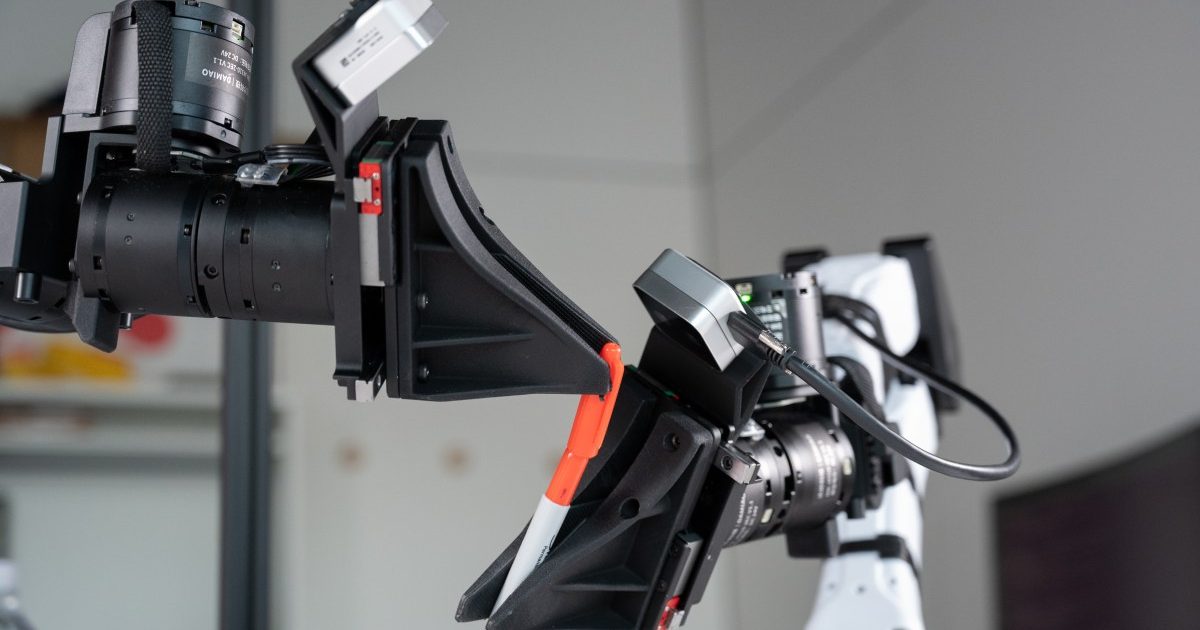
شركة XDOF الناشئة تقترب من تقييم بمليار دولار خلال أشهر

Abliteration.ai: خدمة تجارية لإزالة قيود الأمان من نماذج الذكاء الاصطناعي