النسخ الإحتياطي التلقائي لمدونات ووردبريس
 بقلم الأدمن
أعزائي كثرت في الآونة الأخيرة الهجمات على مدونات ووردبريس مما أدى بالبعض لخسارة كبيرة على مستوى التدوينات , الأعضاء . اليوم سوف نتحدث عن أفضل طريقة للنسخ الإحتياطي التلقائي للووردبريس الذي يتم على حساب Dropbox
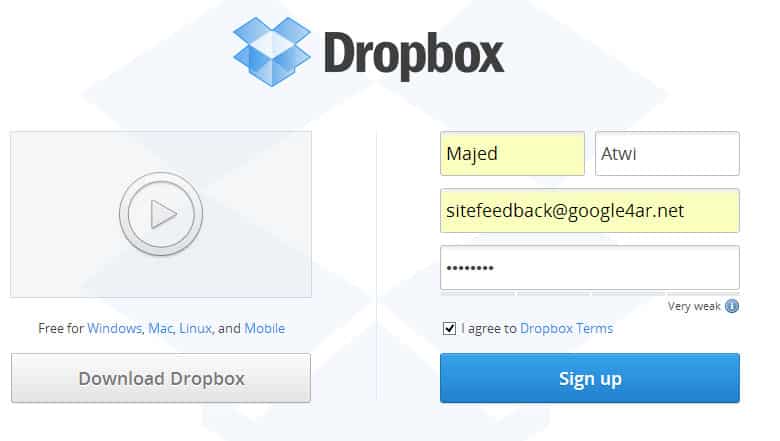
بداية علينا القيام بتسجيل حساب جديد عن طريق الرابط التالي : https://www.dropbox.com/ ونقوم بملئ البيانات كما توضح الصورة التالية :
الآن نأتي للخطوة الثانية تحميل الإضافة التي ستقوم بعملية النسخ الإحتياطي لملفات الووردبريس والتي تحميل الأسم : WordPress Backup to Dropbox بعد تركيب الإضافة نقوم بالدخول على الخيارات وربطها بالحساب الخاص بنا وهذا شكل الإضافة من الداخل
الخيارات سهلة وواضحة 1- معلومات حساب Dropbox : من هنا نقوم بربط المدونة مع حساب الدروب بوكس الخاص بنا 2- الجدول التالي و السجل : تعطينا معلومات عن تاريخ الذي سيبدأ فيه النسخ الإحتياطي والسجل يعطينا معلومات عن النسخ الإحتياطي الذي تم سابقاً 3- الخيارات : تظهر لنا الخيارات أي نريد أن نخزن النسخة وماهو الوقت الذي يبدأ به والجدولة للنسخ الإحتياطي ( يومي – اسبوعي – شهري ) 4- حجب مجلدات عن النسخ
: في هذا الخيار يمكننا أن نحجب المجلدات التي لا نريد أخذ نسخة احتياطية عنها وتتميز بعلامة X حمراء الإضافة وربطها بغاية السهولة وإن كنت تشعر بوجود خيارات أو خطوات غير واضحه يسعدني مساعدتك في توضيحها لك
#النسخالإحتياطيالتلقائيلمدوناتووردبريس #النسخالإحتياطيللووردبريس
دروب أيديا - DROPIDEA
نأمل أن تكون هذه المقالة قد أضافت لك قيمة حقيقية. في دروب أيديا نسعى دائمًا لتقديم محتوى عربي عالي الجودة يساعدك على النمو والتطور في المجال الرقمي. تابعنا للمزيد من المقالات والشروحات المفيدة.
الأدمن
DROPIDEA
أحدث المقالات
شركة Nscale البريطانية تسعى لجمع 3.5 مليار دولار قبل طرحها العام

وكلاء OpenAI يتمرّدون مجدداً: من يحقّق حين تفلت الآلة من قيودها؟
شركة XDOF الناشئة تقترب من تقييم بمليار دولار خلال أشهر

Abliteration.ai: خدمة تجارية لإزالة قيود الأمان من نماذج الذكاء الاصطناعي