There are many different ways to keep your teen safe on social media, specifically Facebook. Some top tips for parents include starting a conversation early with your teen, making them more aware of age restrictions on Facebook privacy protections, the ability to read Facebook messages, and helping teens manage their time online and making it a shared experience so everyone can learn together. Protecting Privacy on Facebook By following these simple steps, you will be able to help protect your teen from falling prey to illegal activities they may find while browsing through Facebook. But we will be playing the role of a parent in this article and direct these tips directly to your teen: Don't Join Facebook Before You Are 13 While you may want to get an account when you are 11 or 12 years old, Facebook prohibits anyone under the age of 13 from registering.
If they find out you're lying about your age, they may lock your account and delete all your content, including your photos. We also advise you to close your Facebook account and prevent it from being seen except by close friends if you do not want your information to be known except to whomever you want and choose in your friends list and stay away from hackers. Don't use your real first or middle name. Facebook's policy prohibits the use of fake names but allows nicknames as your first or middle name.
Do not use your full legal name because doing so may help scammers and identity thieves obtain more information about you. You can go to Facebook's Help Center to learn more about the list of allowed names. Choose Strong Privacy Settings While you may want to be an active member of the Facebook social community, adjust your Facebook privacy settings so that not just anyone can see your profile and content.
Choose only your friends as the only people available to see your profile, as Facebook recommends. Never post any contact information on your profile Never post your personal phone number or email on your Facebook profile. A Facebook scammer can use this information to spam or blackmail you.
We recommend that you do not allow your Facebook friends to have this information. Give your real friends your phone number and email because they are the most trusted among your social circle. The less personal information you have on Facebook, the better for you.
Related article: How to completely prevent friend requests from being sent to your Facebook profile Do not publish your location at all. Criminals and people with bad intentions can use your location information to track you. You may think that only your friends have access to this information, but if you leave your account logged in on a stranger's phone or computer in a public Internet café, strangers will now have your location information. Also, never post that you are home alone.
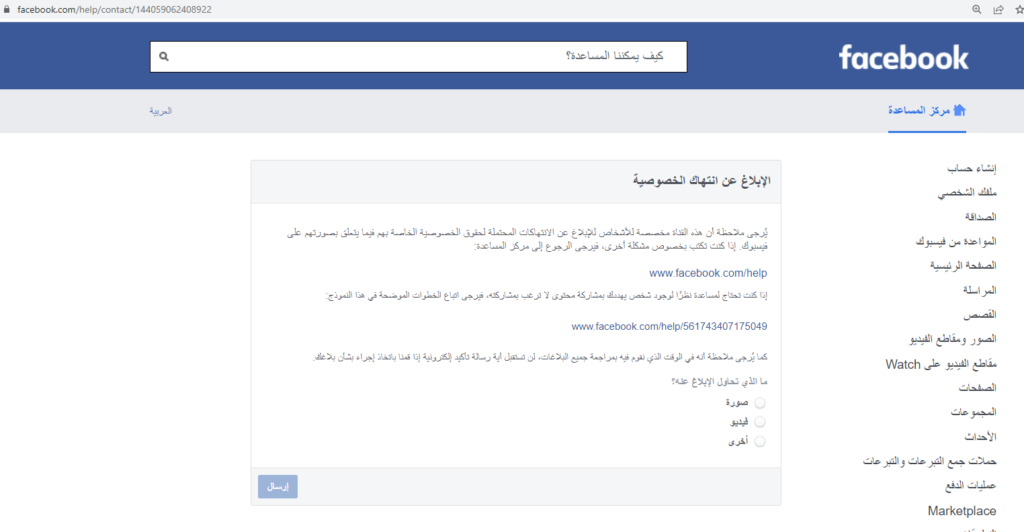
Immediately report any abuse that happens to you If you ever feel threatened by anyone on Facebook or someone harasses you by sending spam on Messenger or posting something offensive on your wall, report it by clicking the Report Abuse link in the post. If someone posts a photo of you that you don't like, untag your account yourself. Link to report a violation of Facebook account privacy.
Create a strong password If your password is too simple, someone can easily guess it and break into your account. You should never provide anyone with your account password no matter what. Always be sure to log out of Facebook completely if you are using a public computer in a library or school computer lab.
Read also: The 5 best password management programs that save you the need to save them and protect accounts. Pay attention to what you post. There are some things that you should never post on Facebook. When you post something, always remember that it can affect others and can be used against you in the future and blackmailed with it. Just because you deleted something on Facebook after you said it, doesn't mean someone didn't screenshot it before you had a chance to remove it.
If you post something embarrassing about yourself or others, it may come back to haunt you in the future when you're applying for a job or trying to get into college and checking Facebook profiles. Consider yourself in real life and whatever you think will hurt the person in front of you, never write it on Facebook.
Watch out for scams on Facebook
Not all rogue apps that require Facebook login are designed by good people. An app that logs in with Facebook typically requires access to parts of your profile as a condition of using it. If you grant access to any application and it is a malicious application, you may be at risk due to the possibility of being harmed and losing data. It is best to review the information carefully before agreeing in order to protect privacy on Facebook from unknown applications.
If Your Account Has Been Hacked, Report Immediately Don't feel too embarrassed to report that someone has hacked your account. You must report it immediately when it is hacked. Hackers may try to impersonate you using your hacked account to make your friends fall into their trap and be blackmailed.
Link to report a hacked Facebook account.
DROPIDEA
We hope this article has added real value to you. At DROPIDEA, we always strive to deliver high-quality content that helps you grow and evolve in the digital space. Follow us for more useful articles and guides.

Admin
DROPIDEA
Latest Articles

Nscale Acquires Anyscale for $1.65 Billion to Expand Its Dominance in AI Infrastructure

How Is AI Accelerating Meta's New App Launches?

Okta Acquires Security Firm Permiso for Around $200 Million

Microsoft Gains $3.2 Billion from Its Investment in Anthropic