شاشة العاب رخيصة 2024: كيف تختار شاشة الكمبيوتر المثالية بدقة 1080p؟
 بقلم الأدمن
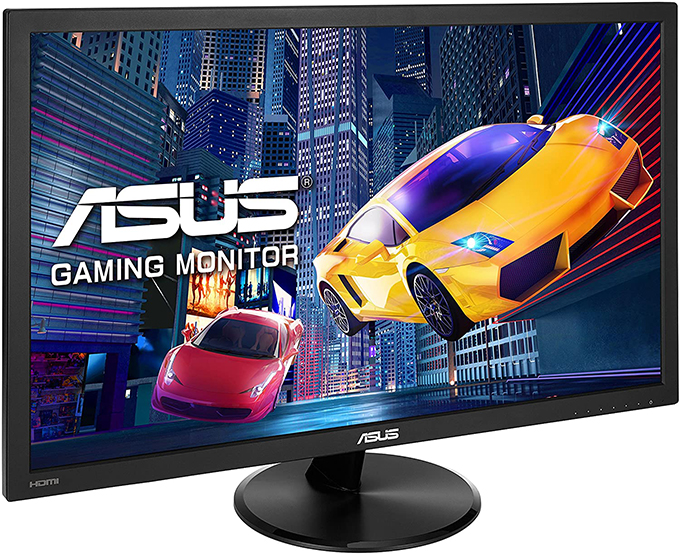
معايير اختيار افضل شاشة العاب رخيصة في 2024 ؟ زمن الاستجابة “Response Time” اقرأ أيضاً معدّل التحديث: للألعاب دعم التزامن المتكيف Adaptive Sync اقرأ أيضاً شاشة العاب رخيصة يمكنك الحصول عليها بسعر 115-125$ تقريباً.
شاشة Asus VP228HE
شاشة صغيرة للالعاب Acer KG221Q 3- شاشة BenQ Zowie RL2455 لا تخلو قائمة أفضل شاشة العاب رخيصة في أي مكان من شاشات BenQ لما تقدمه من مواصفات فنية رائدة وصور رائعة نابضة بالحياة والتحلي بالسعر “المعقول” المُرحب به من قبل لاعبي الفئة المتوسطة والاقتصادية. إذا كنت لا تفضل الشاشات صغيرة الحجم التي عرضناها عليك من قبل، وتريد ما هو أكبر دون التضحية بسرعة الأداء، فهذه الشاشة تأتي بحجم 24 بوصة ودقة عرض FHD.
تتمتع الشاشة Zowie RL2455 بتقنيات فريدة مخصصة لعشاق الألعاب، مثل تقنية Black equalizer التي تتيح القدرة على رؤية أعدائك في الظلام الحالك بمنتهى الدقة والوضوح، بالإضافة إلى تقنية Lag-Free للتخلص من مشاكل تُمزق الصورة. هذه الشاشة بالتحديد تحظى بشعبية كبيرة وعلى نطاق واسع بين ملاك أجهزة الكونسول وهواة ألعاب eSports الذين يفضلون الأداء السريع في الألعاب التنافسية، حيث تأتي الشاشة بزمن استجابة 1ms ومعدل تحديث 75Hz. قد تجدها أو لا تجدها حسب البلد وهي تتاح بسعر 90$ أو أقل.
قد يهمك أيضاً: دليلك لتعرف كيفية ضبط اعدادات شاشة الكمبيوتر للالعاب النهاية – اختيار شاشة العاب رخيصة تحديث يناير 2024
دروب أيديا - DROPIDEA
نأمل أن تكون هذه المقالة قد أضافت لك قيمة حقيقية. في دروب أيديا نسعى دائمًا لتقديم محتوى عربي عالي الجودة يساعدك على النمو والتطور في المجال الرقمي. تابعنا للمزيد من المقالات والشروحات المفيدة.
الأدمن
DROPIDEA
أحدث المقالات

ماساتشوستس تُلزم مراكز البيانات بالطاقة النظيفة

OpenAI تضم باحثاً بارزاً قلقاً من مخاطر الذكاء الاصطناعي إلى مجلس إدارتها

شركة ناشئة للذكاء الاصطناعي تتخلى عن تمويل بـ1.5 مليار دولار لصالح مفاوضات مع سيلزفورس

المساعد الذكي Instinct يحصل على بريد إلكتروني خاص لأداء المهام