5 features in Windows Task Manager that will benefit you a lot
 By Admin
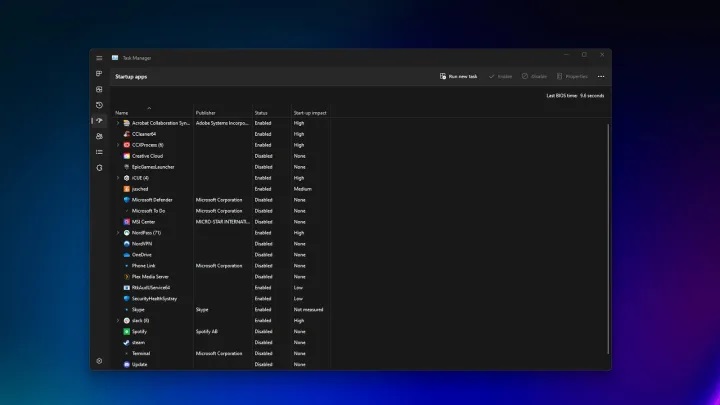
5 amazing features in the Windows Task Manager What is the Task Manager? Task Manager Central Processing Unit (CPU) Random Memory (RAM) Hard Disk Network Task Manager Why is it important? Windows Task Manager How do I access the Windows Task Manager?
Using keyboard shortcuts: Ctrl + Shift + Esc: Ctrl + Alt + Delete: Using the Run dialog box: Right-clicking on the taskbar: Using the Start menu: Using the Command Prompt: 5 features in the Windows Task Manager that will benefit you greatly Windows Task Manager Related article: Explaining enabling the Windows Fast Startup feature for quick bootup and when should you disable it? 3- Search online Central Processing Unit (CPU) Memory (RAM) Disk Network Task Manager Task Manager Publisher Process Name Graphics Processing Unit (GPU) Additional Details Task Manager “Power Usage” Low High Very High Efficiency Mode Task Manager Windows Tasks Resources Computer Performance Task Manager Also important article: Taskbar not working in Windows 10 – Solution to the problem of the Taskbar freezing and not responding to commands
DROPIDEA
We hope this article has added real value to you. At DROPIDEA, we always strive to deliver high-quality content that helps you grow and evolve in the digital space. Follow us for more useful articles and guides.
Admin
DROPIDEA
Latest Articles

Nscale Acquires Anyscale for $1.65 Billion to Expand Its Dominance in AI Infrastructure

How Is AI Accelerating Meta's New App Launches?

Okta Acquires Security Firm Permiso for Around $200 Million

Microsoft Gains $3.2 Billion from Its Investment in Anthropic



