The 10 best antiviruses for computers (+ direct download links)
 By Admin
Every computer needs the best antivirus program, or what is known as antivirus, to protect against viruses and malware. The Microsoft Defender antivirus program built into Windows 10 is good, but it is still unable to provide the features and protection offered by other antivirus programs. The best antivirus program: Avast Antivirus Kaspersky Total Security AVG AntiVirus Bitdefender Norton AntiVirus Avira ESET McAfee Trend Micro windows defender 1.
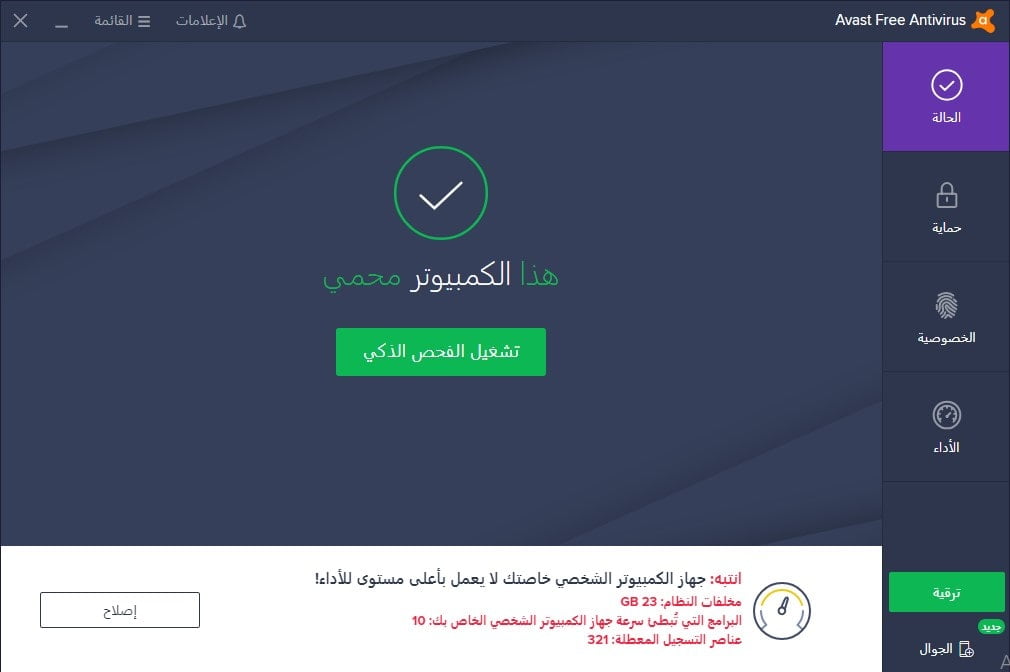
Avast Free Antivirus Avast has a good and excellent reputation in the field of antivirus. The company provides 3 versions of its antivirus program. 1- Avast Free Antivirus, which is the free version and provides you with only basic features such as anti-virus protection and password security. 2- Avast Premium Security is the best version, as in addition to the basic features, it provides you with comprehensive online protection for all your devices from fraudulent websites and ransomware viruses, in addition to preventing hackers from hacking your computer or webcam and stealing your data or spying on you..
3- Avast Ultimate This version is the most comprehensive, and in addition to the previous features, it encrypts your Internet connection via a VPN, in addition to providing you with the Avast Cleanup tool, which helps you clean your computer and speed up it. Download Avast for free 2. Kaspersky Total Security Kaspersky products have a high ability to detect malware without affecting system performance.
Kaspersky Lab is considered one of the most famous companies specialized in computer security, and it offers 3 protection programs to combat viruses and protect computers from hacking. 1- Kaspersky Anti-Virus, provides you with virus and ransomware protection, a virtual keyboard, and a convenient online account portal. 2- Kaspersky Internet Security (Kaspersky Internet Security), which is our best choice.
It has decent parental controls, a secure browser, anti-theft protection for laptops, webcam protection and a VPN that starts when connected to an open Wi-Fi network. 3- Kaspersky Total Security In addition to all the previous features, the premium antivirus program, Kaspersky Total Security, adds a backup program, file encryption, file shredder, and an unlimited password manager. We think it's the best antivirus software you can buy.
Download Kaspersky 3. AVG AntiVirus AVG Antivirus is a good choice for those who want to get antivirus software that is light on the computer and effective at the same time. It efficiently blocks malware attacks, detects prevalent malware, and more.
You can get it for Windows, Mac, and Android. As for the price, it is very reasonable and considered one of the best on the market. Download AVG for free 4.
Bitdefender As a virus removal software, Bitdefender is one of the clear leaders. Includes all the necessary features for excellent performance and comprehensive protection. This product offers a wide range of outstanding features that most competitors lack.
Bitdefender used to be a Windows-specific antivirus. These days, it is also available for iOS and Android Download Bitdefender Free 5. Norton AntiVirus Norton has an affordable price and a full set of additional features for complete protection.
An antivirus comparison shows that Norton is quite basic and lacks some advanced features. It is suitable for beginners, because it is very easy to use and installing it is as simple as ABC. There are also some great additional family safety features, so Norton is a perfect match for those who want to set up parental controls.
Visit Norton website 6. avira Avira is a German information security company with a long history of experience. It has a lot of services to offer, including VPN, and software updating.
But it mainly focuses on developing antivirus software. If you are looking for a free antivirus, Avira Free Antivirus will be one of the options you should consider. Although it may cause your computer to slow down sometimes, it has features that make it worthy of being on this list.
Download Avira for free 7. ESET Smart Security Premium ESET is one of the most famous antivirus programs in Europe, but although it is light on the computer, its detection rate of viruses and malware is not as good as the rest of the competitors. ESET NOD32 Antivirus is easy to use, but has a few useful additional tools.
ESET Internet Security adds webcam protection, parental controls, and a browser booster extension. Download ESET trial version 8. McAfee Antivirus McAfee antivirus is considered one of the well-known protection programs in this field and it sometimes comes included with some computers.
Despite its good ability to detect viruses and malware and the features it comes with, its price is considered high compared to other programs and it may be heavy on the computer sometimes. Buy McAfee 9. Trend Micro Trend Micro is one of the oldest antivirus programs.
It has been around since 1988, . Trend Micro offers a modern, intuitive design and an excellent antivirus security package. The company was founded in California, but is headquartered in Japan.
Overall, there are three different packages to choose from. The list includes Antivirus+, Trend Micro Internet Security, and Trend Micro Maximum Security. Its downsides are that it is very heavy on the computer and its file detection rates are lower than the market average.
Visit Trend website Why do we need antivirus software? These days, it is difficult to avoid viruses or malware while using the Internet. Even if you never click on suspicious ads and never visit unsafe websites, this does not mean that you are 100% safe.
A computer virus may not only come from downloading movies or programs that contain viruses. There are different ways for viruses to damage your computer or phone. Viruses can be transmitted by email or by clicking on a pop-up window.
Sometimes, clicking the “Read More” button while reading an article can be enough to contract a virus. Any of these reckless actions could damage or damage a computer. These are just a few examples, and modern hackers know dozens of hacking techniques.
The good news is that it is possible to “fix” an infected device with the right antivirus software. The market is full of various offers from leading companies in the industry. Choose an antivirus that best suits your needs and budget.
What is the difference between free and paid antivirus software? Now that you know the top 10 antivirus programs, you may be wondering about the difference between free and paid antivirus programs? Just like any other free product, the free antivirus has some disadvantages compared to the paid version.
But it depends on what you need. For example, if your computer uses are simple and you do not store important information on it, a free antivirus program such as Avast Free Antivirus can be an excellent choice for you. But if you constantly download videos, music, text files and applications and store important information on your computer, a paid antivirus will be able to provide you with a higher level of protection.
You can't get the full service with a free version of the antivirus. Paid antivirus covers online and offline activities. It also features advanced encryption protocols and is robust against malware such as worms, Trojans, and ransomware.
If your device is already infected, a paid antivirus will be able to get rid of it using the built-in virus removal tool and various cleaning tools. What are the features of paid antivirus software? There are some key features you should look for when choosing antivirus software.
This will vary depending on your needs. The following list includes some of the best (and most popular) features that modern antivirus software is suited for: Firewall: It will provide additional protection when browsing the Internet. Blocking spam: Provides protection from spam, spyware, or phishing.
Parental Control Tools: Allow parents to control children's computer use times and protect them from stalkers. Webcam protection: Prevents any attempts to hack or spy on your webcam. Gaming Mode: Make sure your online gaming activity is safe, and you won't get annoying pop-ups while gaming.
Secure Browser: Checks every website you visit and alerts you about potential threats. Password Manager: Allows you to store your passwords securely. Secure storage (cloud-based): Back up your files and keep them safe.
Cleaning tools: As the name suggests, these tools improve and speed up the overall performance of the operating system by getting rid of unwanted files on the hard drive. File Shredder: It enables you to delete sensitive files in a way that no one can recover. VPN: A virtual private network (VPN) is an ideal solution for using public Wi-Fi networks and downloading files and streaming in a secure way (by hiding your IP address).
DROPIDEA
We hope this article has added real value to you. At DROPIDEA, we always strive to deliver high-quality content that helps you grow and evolve in the digital space. Follow us for more useful articles and guides.
Admin
DROPIDEA
Latest Articles

Nscale Acquires Anyscale for $1.65 Billion to Expand Its Dominance in AI Infrastructure

How Is AI Accelerating Meta's New App Launches?

Okta Acquires Security Firm Permiso for Around $200 Million

Microsoft Gains $3.2 Billion from Its Investment in Anthropic



