The 7 best animation applications: to create, convert, or download GIF images
 By Admin
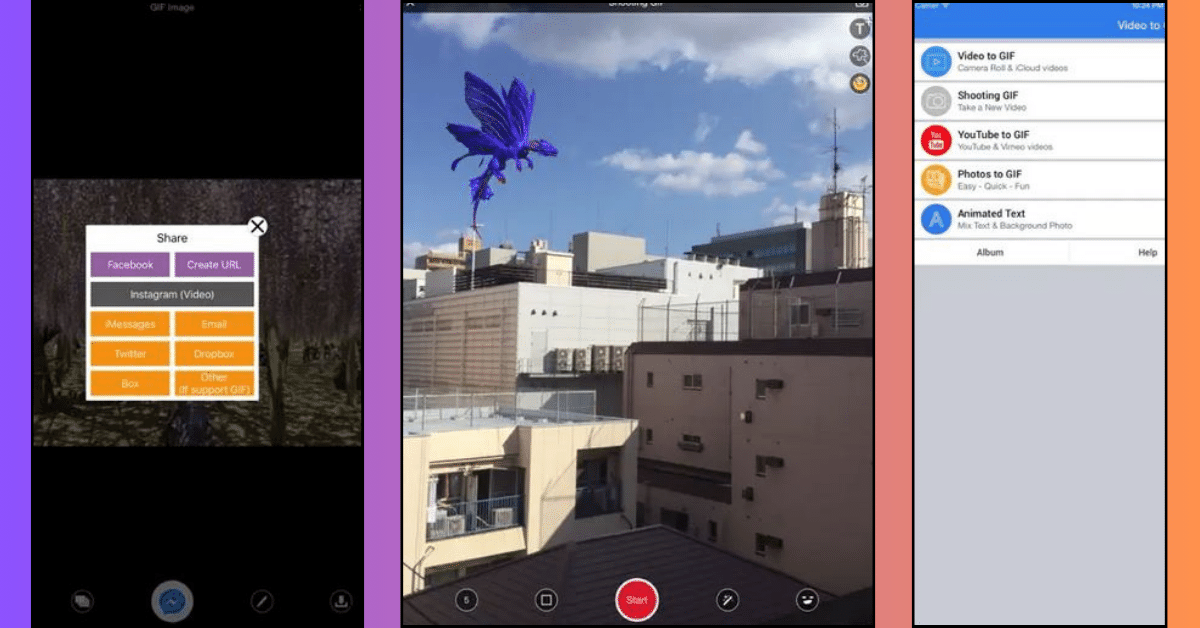
GIF apps are creative tools that enrich social media content and add a touch of fun to interactions. Through these applications, we can turn our special moments into animated images that express our feelings and thoughts in a unique and attractive way. In this article, we will provide you with a comprehensive tour of the best GIF applications, and provide you with a comprehensive guide to creating custom GIFs that express your creativity and add a unique touch to your social media content.
However, we may not always need to create GIFs from scratch, as some websites allow us to upload ready-made GIFs to share our feelings and interact with others. We will conclude this article by presenting the best sites for downloading GIF images for free, which will save you time and effort and allow you to share creative content easily.
What are GIF animations?
Animated images (GIF) or GIFs are a type of digital file, which allows images to be displayed as a series of frames to look like a short video. These images are often used to share feelings and thoughts online. It may have a humorous nature, or carry specific meanings.
The most prominent example of it are those short, recurring videos that you send to your friends in the Messenger application. It can be created from scratch, or easier, convert a video into a GIF image, such as what some of the applications in our article offer for mobile phones. Or you can use video conversion software for computer.
The most important characteristics of GIF animation images are as follows: The characteristics of images and the reason for their use: Small file size: GIF animation images are known for their small size, which allows them to be used easily across the web compared to sending a long video. Simple color support: Animated images support about 256 colors. While photographs can be represented by about 16.7 million colors.
Therefore, it can be suitable for simple expressive images. Permanently repeating: GIF images repeat themselves continuously without having to restart them every time. Ease of designing GIF images: There are many tools and programs for creating GIF images available online, which makes creating these images easy.
The best GIF animation applications: Through these applications, we can turn our special moments into animated images that add a unique touch to our social media content. Here are the most important GIF animation applications on your phone, whether you use Android or iPhone: 1. Video to GIF for iPhone is one of the most powerful programs for creating GIF images for iPhone and iPad, as it has professional features that are not found in other programs.
Video to GIF is an ideal choice for iPhone users who want to convert their favorite videos into animated GIFs simply. With its intuitive user interface and precise conversion functions, you can turn any video into an expressive GIF in just seconds. The application also allows you to control the duration and size of the GIF, in addition to the ability to add texts and creative effects to make the GIF more distinctive.
Features of Video to GIF: Download video directly from YouTube: This application enables you to download video from YouTube to convert it directly into a GIF image. Suitable for Beginners: Due to its simple, easy-to-use interface. No watermarks: The application allows you to create GIF images for free without a watermark related to the application name.
Cons of Video to GIF: Limited customization options: As for the rest of the applications that provide extensive customization options, features, and effects. To download Video to GIF for iPhone: Click here (not available for Android) 2.
Gif Me!
Camera Gif Me is an easy-to-use application for creating high-quality GIFs. With an easy-to-use interface and high features.
Are you looking for a fun way to transform your special moments?
To funny and expressive GIFs? Gif Me!
Camera is the perfect solution!
With its built-in camera and tools to convert photos and videos to GIFs, you can easily create creative content to share your feelings and thoughts with others. The application also allows you to add creative effects and filters, control the speed of GIF playback, and share your creations on social media or save them to your phone. Gif Me Features: Easy to use interface.
The ability to create GIF images from scratch. Edit existing GIFs. Convert videos to GIFs.
Convert a regular photo into a GIF. A wide range of editing and adding options (filters, special effects, texts). Disadvantages of Gif Me: Some errors: Some users mentioned through their reviews that they suffered from surprising errors in the image export process.
Difficulty of use for beginners: Since the application does not provide any tutorial steps, it may be difficult for beginners to use. To download Gif Me Camera for Android: Click here To download Gif Me Camera for iPhone: Click here 3. Piskel Animator The Piskel application specializes in designing GIF images based on pixels.
Therefore, it is a great choice for Excel art lovers to create animations and expressive avatars. It also allows for a great degree of customization and artistry. For those who want a professional experience in creating animated GIFs, Piskel Animator is the perfect choice.
With advanced drawing and editing tools, you can turn your creative ideas into reality. A library of ready-made elements and backgrounds provides an excellent starting point, while precise control options for image movement and effects allow you to create moving masterpieces. Finally, you can export your creations in the highest possible quality to share with the world.
Features of Piskel Animator: Pixel-based: It provides custom tools for creating images of various shapes using the pixel style. Converting from a pixel image to a GIF: It allows you to create pixel images and then convert them to a GIF. Precise editing tools: allowing every pixel in the image to be controlled and customized appropriately.
Extensive Library: Featuring an extensive library of characters and parts ready to customize your drawings. Extensive export options: to save images on your device, or export them to social media. Available for free: with the possibility of purchasing additional tools within the application.
Disadvantages of Piskel Animator: Limited features: It may lack some professional and additional features found in other free applications. A somewhat difficult learning curve: especially for beginners. To download Piskel for Android: Click here To download Piskel for iPhone: Click here 4.
ImgPlay is a great image maker for customizing the sizes according to where the images will be shared (via social media), enabling you to create highly customized designs. ImgPlay offers a comprehensive platform for creating animated GIFs from photos, videos, and animations, making it an ideal choice for those who love variety. With a library of ready-made GIF templates and the ability to add text and creative effects, you can easily turn any content into an expressive GIF.
Options to control GIF playback speed and size also allow you to craft the perfect GIF to suit your needs, whether you want to share it on social media or save it to your phone. ImgPlay features: Multiple image sizes: It includes custom sizes for Instagram, Twitter, and other social media. A wide library of elements: static stickers, animated stickers, filters, and many more.
Pen drawing feature: to draw GIF images with high accuracy. Disadvantages of ImgPlay: In the free version, a watermark (logo) for the application name is added. You'll need the free subscription to export your photos without any tags.
To download ImgPlay for Android: Click here To download ImgPlay for iPhone: Click here 5. GIF Maker It is a distinctive program for creating high-quality GIF images with many features. In addition to a built-in gallery to save the images you design.
GIF Maker is an easy-to-use tool for creating creative animated GIFs from photos and videos. With its simple user interface and straightforward conversion functions, you can easily convert any content into an expressive GIF in just minutes. The application also allows you to add text and effects to the GIF, control its playback speed and size, and share your creations with the world.
GIF Maker features: Convert various media to GIF: such as videos, photos, and live content. The ability to use content you already have: You can use the media that is already on your phone. Or you can upload new media.
Adding various graphic elements: such as memes, filters, captions, and many more. GIF speed control: This means controlling the speed of repeating the GIF image as a loop. Various export options: including sharing via social media, or saving to your phone.
Disadvantages of GIF Maker: Short-term free trial: The program offers a free subscription for 30 days, and then you will have to subscribe to the program. To download GIF Maker for Android: Click here To download GIF Maker for iPhone: Click here 6. Gifstory for iPhone is a great application for turning your daily moments into GIF images, with a good number of options to design them distinctively.
Are you an Instagram user? Gifstory is the perfect app to turn your Instagram stories into shared animated GIFs! With simple steps, you can turn any story into an expressive GIF that captures your special moments on the platform.
The application also allows you to add texts and effects to the GIF, control its playback speed and size, and share your creations with your followers on Instagram or save them to your phone. Gifstory features: Convert any content into a GIF image: It contains images, video clips, and any possible content into distinctive GIF images. Use any available content: You can use existing content on your device, or record new content using the application.
A large list of filters: approximately 14 distinct filters for editing photos. Store for downloading effects: The Gifstory store allows you to download additional effects. Cons of Gifstory: Lacks advanced features: The application may lack advanced features such as the ability to record moments exceeding 4 seconds.
In-app purchases: Although the app is free to use. However, all advanced features and effects within it require purchases. To download Gifstory for iPhone: Click here (not available for Android) 7.
GIF Maker – GIF Editor for Android is an application that allows users to create GIFs from all types of content. Such as photos, videos, and live content. It features a clear and simple user interface, making it one of the audience's favorite options.
For Android users who want comprehensive tools to create and edit professional animated GIFs, GIF Maker – GIF Editor is the perfect choice. With easy functionality to convert images and videos to GIFs, and advanced editing tools to crop and edit GIFs, you can craft animated artistic creations that accurately express your ideas. The app also allows you to add text and creative effects, control GIF playback speed and size, and share your creations with the world.
GIF Maker features: Convert any content to GIF: You can convert video, images, and live content to GIF. Use any content: You can use the content on your phone, or record new content using the application.
Add various elements: memes, filters, captions, stickers, and emojis.
Specify GIF loop speed: You can specify the speed at which GIFs loop. Ease of use: GIF Maker is one of the clear and easy-to-use applications. It also includes all the standard features.
Small number of ads in the free version: the program will not flood you with ads. Educational ads: Most ads also include instructions for using the app's features. Cons of GIF Maker: Limited free trial: The application offers a 30-day free trial.
Then you will need to subscribe to the application for a fee. Bugs in the app: Some users expressed a problem with the app for creating GIFs in landscape orientation. When they try to screen record to create a GIF from a horizontal video, the video is only recorded in the vertical direction, resulting in a very small GIF.
To download GIF Maker - Editor for Android: Click here (not available for iPhone) The most important sites for finding ready-made GIF images Here are the best sites that provide downloading ready-made GIF images: · Giphy website The journey of GIF images is not complete without mentioning Giphy, one of the most famous sites for ready-made GIF images online. With a huge library of millions of diverse GIFs and a dedicated app for Android and iPhone, Giphy allows you to discover an unlimited world of creativity and expression.
Giphy has advanced search features that make it easy to find relevant GIFs using keywords or hashtags, providing a fun and seamless user experience. Giphy also provides multiple options for sharing your favorite GIFs with others on social media platforms, email, or any other means.
Additionally, on Giphy you can create images
Customized GIFs with easy-to-use tools, adding a personal touch to your communication content. Imgur is a favorite destination for fans of photos and videos, as it allows for sharing various content, including expressive GIFs. With a huge library of diverse GIFs, on Imgur you can discover amazing artistic creations that embody feelings and ideas in a unique and attractive way.
Imgur also has a very active community of users who constantly share their content, giving you the opportunity to interact and discover new ideas. Additionally, Imgur is available as a mobile app, allowing you to easily access and share this rich content on the go. It is a site for ready-made photos and videos.
It includes a large number of distinctive GIF images. With a very active community of users, wide options for sharing photos. Imgur is also available as a mobile app.
Reddit is a huge social forum for exchanging images, especially GIFs. It also offers modern models and unique images. However, Reddit does not have filters or search features, which may make it difficult to reach a specific result.
· Tumblr is a micro-blogging platform and a vibrant community for unique GIFs. The Tumblr app is also available for smartphones and tablets, allowing users to access and share content on the go. The journey of GIFs is not limited to applications only, but also extends to specialized social media platforms such as Tumblr.
As a microblogging platform, Tumblr is also a vibrant community for expressive GIFs. On Tumblr, you can browse huge collections of diverse GIFs and discover creative talent from all over the world. The Tumblr app is also available for smartphones and tablets, allowing you to easily access and share this rich content on the go.
· Know Your Meme website Know Your Meme website is a comprehensive digital encyclopedia of memes and Internet culture. The site provides a detailed history of each meme, including its origin, spread, and evolution, as well as a huge collection of high-quality GIFs ready to share. Whether you're looking for the latest meme trends or want to explore their rich history, Know Your Meme is your perfect destination.
Know Your Meme is a website dedicated to ready-made memes and GIFs. It includes high-quality GIFs. Conclusion: In conclusion, we review the best programs, applications, and websites that help us create distinctive GIF images.
It turns out that the available options offer a wide range of features that can meet the needs of any user. So, whether you're looking for simple tools to create avatars, or you're looking for tools to create complex and unique GIFs. These applications allow you to create distinctive GIF images and share them on social media sites or download them to your devices.
Read also: The best video editing apps for mobile How to create cinematic photos for Android using Google Photos
DROPIDEA
We hope this article has added real value to you. At DROPIDEA, we always strive to deliver high-quality content that helps you grow and evolve in the digital space. Follow us for more useful articles and guides.
Admin
DROPIDEA
Latest Articles

Nscale Acquires Anyscale for $1.65 Billion to Expand Its Dominance in AI Infrastructure

How Is AI Accelerating Meta's New App Launches?

Okta Acquires Security Firm Permiso for Around $200 Million

Microsoft Gains $3.2 Billion from Its Investment in Anthropic



