The best mobile document app: 5 apps for creating and editing files
 By Admin
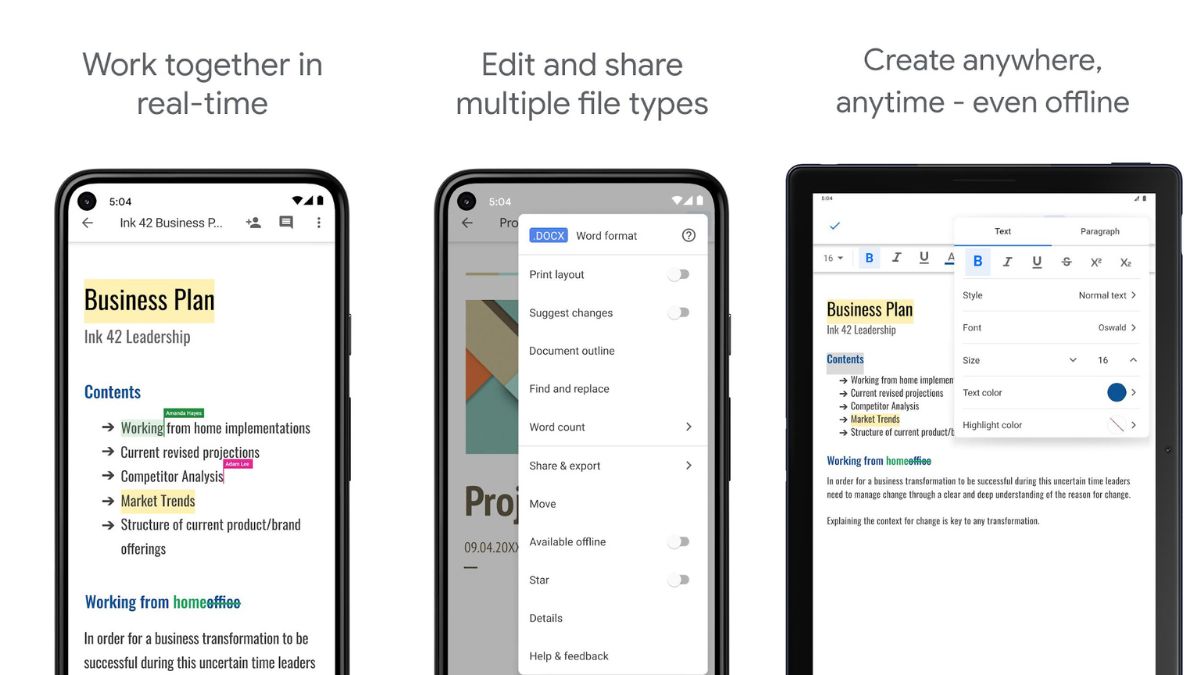
Document applications for mobile devices have become of great importance in our current era, as they contribute to facilitating work processes and increasing productivity. Thanks to these applications, individuals can easily create, edit and share documents on the go, enhancing communication and collaboration between individuals and teams. In this article, we will answer many questions, including: What is the best mobile document application for editing and creating files?
In addition, the development of technology reflects continuous improvements in document applications, such as the addition of artificial intelligence features in Excel, PowerPoint, and machine learning features that help improve the user experience and increase the efficiency of office work. In the end, it can be said that document applications for mobile devices are an essential part of the lives of individuals and companies in the age of digital technology.
What is the best mobile documents application?
Each mobile document app has a set of great features that make it easy to create and edit documents on the go. The applications are highly compatible with various operating systems, allowing you to easily access your documents on any device you prefer. In addition, the application features a simple and easy-to-use interface, which makes the process of creating and editing documents a smooth and convenient experience for the user.
With these essential features, having a mobile document app is the perfect choice for those who need to manage their documents efficiently and simply while they are on the go. Read more: The 5 best To Do List applications for organization and accomplishment. There are many such applications that will facilitate recording daily events and tasks that the individual must perform. We will list the features of these applications in addition to the download link for Android and iPhone to make it easier for you.
All you have to do is choose one of the applications that suits you. Google Docs Google Docs is one of the leading online word processing applications, with many great features that make creating and editing documents easy and fun. It allows users to access their documents from anywhere and at any time over the Internet, in addition to the ability to collaborate with others in real time and share documents easily.
You can start using Google Docs templates or create new documents in all appropriate formats. The application also features a simple and easy-to-use user interface, and advanced formatting capabilities that allow users to add images, tables, and graphs with ease. Thanks to the cloud storage feature, you will not have to worry about losing documents, as they are saved automatically and securely.
Using Google Docs makes the process of completing work and projects more efficient and organized, making it an ideal choice for anyone looking for a productive and advanced word processing experience. Features of the Google Docs application: The ability to access and edit documents online from anywhere and at any time. The ability to collaborate in real time with others on editing the same document.
A simple and intuitive user interface makes creating and formatting documents easy and convenient. The ability to format documents professionally with the ability to add images, tables, and graphs. Provide advanced formatting and configuration options such as changing fonts, colors, and margins.
The ability to share documents with others via share links or direct invitations to share. Providing automatic cloud storage that keeps documents safe and easy to access across different devices. The ability to make modifications and updates to documents without having to save them manually.
These are some of the features of Google Docs that make it a great choice for managing documents and collaborating on work effectively and easily. Download Android Download iPhone Download Microsoft Word Application Microsoft Word application will answer your question: What is the best mobile document application? Because it is one of the leading applications in the field of word processing, it has exceptional features that make the process of creating and formatting documents easy and efficient.
The application provides an intuitive and flexible user interface, making it easy to navigate the tools and options available for formatting and editing documents. In addition, Microsoft Word includes a wide range of creative tools to customize formats and deliverables, including easily adding images, tables, and graphs. The application also allows the use of pre-made templates for various types of documents, saving time and effort in the creation process.
For a better collaborative experience, users can easily share documents with others and collaborate in real time on the same document. With Microsoft Word, you can turn your ideas into tangible documents smoothly and professionally.
Microsoft Word application features: Simple and easy to use interface
Use makes the process of creating and modifying documents easy and convenient. Providing a wide range of creative tools to comprehensively format and customize documents. Ability to use pre-made templates to choose the appropriate format for different types of documents.
Support many languages and other languages to ensure global usability. The ability to easily add images, tables and charts to make documents more attractive. Ability to work on documents offline and automatically save changes when connected again.
The ability to share documents with others and collaborate in real time on the same document. Provides spelling and grammar checking to improve writing accuracy and formatting. Ability to export documents to various formats such as PDF or HTML for easy sharing and distribution.
Download Android Download iPhone Related article: Explaining performing calculations in Word via equations and tables WPS Office application The WPS Office application is an answer to the question: What is the best mobile document application? Because it is an all-in-one application that combines a word processor, spreadsheets, and presentation displays, making it an ideal choice for creating and editing documents with ease. The app features an intuitive and easy-to-use user interface that helps organize tools and features conveniently.
The app's features include mobile and PC access to documents, as well as the ability to seamlessly update and share files. WPS Office also includes advanced features such as rich text, advanced charts, and ready-made templates that make it easier for users to create professional documents quickly and efficiently. With its support for a wide range of popular document formats, it makes it easy for users to exchange and share files with others with ease.
Ultimately, WPS Office is an excellent choice for those looking for an all-in-one experience in efficient and professional document processing. Features of the WPS Office application: It is characterized by an easy-to-use user interface and an attractive design that makes the work experience comfortable and enjoyable. It supports many document formats such as DOCX, XLSX, PPTX, etc., allowing easy file sharing with other office software users.
Provides a variety of advanced tools for editing and formatting documents, such as rich text, tables, charts, graphics, and images Supports real-time collaboration with others on the same document, enabling teamwork and easy document editing. Includes a wide range of ready-made templates to make it easy to quickly create professional, attractive documents. It features fast performance and excellent stability, ensuring a smooth and hassle-free user experience.
Allows you to convert documents into PDF files, making them easier to share more securely and compatible. Download Android Download iPhone OfficeSuite Application OfficeSuite application is a multi-functional application that provides a comprehensive solution for business and personal needs on smart devices. It allows users to create, edit, view and share Microsoft Office and PDF documents with ease anytime, anywhere.
With its simple user interface and advanced features like import and export from various cloud storage services, OfficeSuite is an ideal companion for work, study and everyday life. Whether you're looking to collaborate with a team, or want to increase personal productivity, OfficeSuite provides the tools to achieve your goals efficiently and seamlessly.
OfficeSuite application features: Allows users to create and edit documents
Microsoft Office and PDF with ease. It provides a simple and easy-to-use user interface for maximum productivity. Supports import and export from various cloud storage services such as Google Drive and Dropbox.
Allows collaborative working through document sharing and commenting features. It has a wide range of tools and options to customize and format documents perfectly. It gives users access to a variety of preset templates to streamline the document creation process.
It has advanced features such as password protection and file encryption to ensure security and confidentiality. Download Android Download iPhone Zoho Writer application Zoho Writer is a distinctive application that aims to improve the experience of writing documents on mobile phones. This application features an intuitive and easy-to-use user interface, allowing users to create and edit documents with ease.
Thanks to a wide range of powerful tools and features, users can format documents professionally and share them with others with ease. Zoho Writer also enables team collaboration through document sharing and commenting features, facilitating collaborative work and increasing productivity. In addition, the application allows access to documents from anywhere and at any time via mobile phone, which makes it easier for users to manage their work efficiently and smoothly.
Zoho Writer features: An intuitive and easy-to-use user interface that makes the process of writing and editing documents convenient and smooth. Zoho Writer features a wide range of powerful tools to format and customize documents in a professional and distinctive way. Easy collaboration and document sharing features enable organizational coworking with colleagues and friends.
Zoho Writer provides access to documents from anywhere, anytime via mobile phones for added convenience and flexibility. It allows users to encrypt and protect documents with passwords to ensure the necessary confidentiality and security. The application provides the ability to import and export documents to and from various cloud storage services to facilitate the process of saving and sharing.
Download Android Download iPhone Frequently asked questions about What is the best mobile document application? What app opens documents? Microsoft Word and Google Docs are two popular and well-known applications used to open and edit documents.
What is the best mobile documents application? There are many applications, including Google Docs, WPS Office, and Microsoft Word, that you can choose from and use the application you prefer.
How to create a PDF file on the phone?
You can create a PDF file on your phone using Google Docs, Microsoft Word, and WPS Office apps by following these steps: In the Google Docs app: Open the document you want to convert to a PDF file, click the three-dot menu button in the top right corner, and choose “Print.” In the list of printers, choose “Save as PDF,” then select a location to save the file and click “Save.” In Microsoft Word: Open the document you want to convert to a PDF, click the “File” button and choose “Save As.”
Select a location to save the file and in File Type, choose “PDF”. Click “Save” to confirm the saving process and create the PDF file. In the WPS Office application: Open the document you want to convert to a PDF file.
Click on the three-dot menu button at the top right corner and choose “Save as.” Select a location to save the file and in File Type, choose “PDF” and click “Save” to create the PDF file.
Related articles:
How to sign documents on mobile or computer - electronic or digital signature The best PDF editing applications for Android that you can try now for free The most powerful and best 5 free Microsoft Office alternatives that support file conversion
DROPIDEA
We hope this article has added real value to you. At DROPIDEA, we always strive to deliver high-quality content that helps you grow and evolve in the digital space. Follow us for more useful articles and guides.
Admin
DROPIDEA
Latest Articles

Pangram Raises $9 Million to Detect AI-Generated Content

Encore AI تجمع 30 مليون دولار لبناء وكلاء ذكاء اصطناعي يتعلمون من مكالمات العملاء

Hint: The AI-Powered Home Management Assistant with Martha Stewart's Touch

Startup Runlayer Accuses Rippling of Stealing Its MCP Product Idea



