The easiest and fastest 4 ways to transfer files from one computer to another
 By Admin
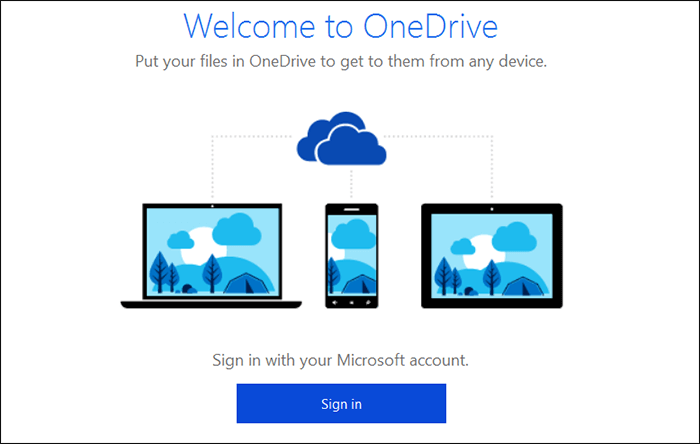
Transferring files from one computer to another computer is something you need in different situations, such as wanting to share some data between your device and your friend’s device, and to a large extent you need that when you buy a new computer or laptop. The problem is that your files are stored on the old device, and in order not to start again, here are 4 ways through which you can transfer your multiple data and files between computers easily and quickly. Using the OneDrive cloud storage service You can use the OneDrive cloud storage service, which is integrated into Windows 10, as the easiest possible way to transfer a group of files to another computer or several devices wirelessly, but this is only if the size of the files does not exceed 5 GB, as the basic storage space is 5 GB, while you can upgrade the space for a fee, as the 1 TB space costs you $7/month. Also note that you will need a high internet speed in order to upload files to the service and then be able to download them to the other device.
Transferring files from one computer to another using an external hard drive The external hard drive has multiple uses and is very useful for preserving your important files. If you have an external hard drive, you can use it and transfer important files from the old device to it, then connect the hard drive to the new device and transfer the files to it. Of course, the larger the external hard drive space, the fewer times you have to complete the transfer of all your files from one computer to another. It is also preferable for the hard drive to support a USB 3.0 port so that the file transfer process is faster and does not take a long time.
Read also: List of the 12 best external hard disks and the best wireless hard drives and portable SSDs that can be purchased. Use a USB cable to transfer data between two devices. If you do not want to spend money subscribing to a cloud storage service or purchasing an external hard drive, let me tell you that there is a faster and easier solution, especially if the computers are close and there is not a large distance between them, which is better with laptops. The solution is to buy a USB Data Transfer Cable, as it is a USB cable on both ends, and you can connect it between the two computers so that you have the ability to Transfer files from one computer to another easily. The price of this cable is cheap, whether it is equipped with a USB 2 or USB 3 port, which is naturally the fastest and you can find it in electronic markets. Clone Hard Drive Cloning a hard drive means that an exact copy of the old hard drive will be created in your computer on the new hard drive, whether external or internal. Once the cloning is done, the new hard drive will be ready to boot and work exactly as the external hard drive was working, as if nothing had happened.
It is certainly a quick way, as you will not need to reinstall new Windows or reinstall your favorite programs. You will first need to connect the hard drive to the computer so that the two hard drives are together on the same device. Then you will need a program dedicated to the cloning process, and I suggest here either
Macrium Reflect software
It is available in a free version to perform this task, or the also distinguished EaseUS Todo Backup program to easily clone hard drives.
DROPIDEA
We hope this article has added real value to you. At DROPIDEA, we always strive to deliver high-quality content that helps you grow and evolve in the digital space. Follow us for more useful articles and guides.
Admin
DROPIDEA
Latest Articles

Nscale Acquires Anyscale for $1.65 Billion to Expand Its Dominance in AI Infrastructure

How Is AI Accelerating Meta's New App Launches?

Okta Acquires Security Firm Permiso for Around $200 Million

Microsoft Gains $3.2 Billion from Its Investment in Anthropic



