Google launches an SOS alert for searches related to the coronavirus
 By Admin
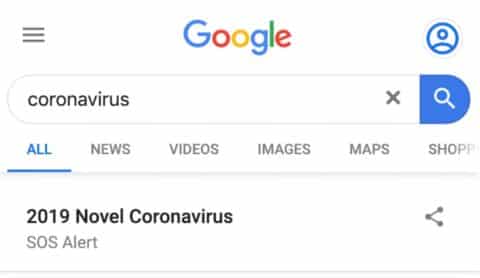
Google has activated the SOS alert in search results for searches related to the coronavirus outbreak and it will appear in search results for users. Google's SOS Alerts, which were introduced in 2017, are activated during crisis events where public safety may be at risk. It's designed to help searchers by providing an ad-free page of search results with the latest news, links to reliable sources, and any applicable safety tips.
Now for coronavirus-related searches, this is what the search results page will look like: Google explains in a help document how it sources content for SOS alerts: “We have teams around the world that source content from government agencies, first responders, trusted media outlets, and NGOs. We also collect information from other Google products and services like Google News, Google Maps, Waze, and more.” The global search engine displays the same alerts globally for the coronavirus outbreak, but they may be localized over time if necessary. Currently, since the virus has not yet reached the Arab world, these alerts may not appear to users in local markets.
Social networking sites such as Facebook are combating fake news about the Corona virus and widely circulated stories that are unfounded. Unfortunately, there are some videos, publications, stories, and blogs that promote some substances as medicines for this virus, and there are prescriptions that can put people’s lives at risk.
#Google News #Google #Coronavirus
DROPIDEA
We hope this article has added real value to you. At DROPIDEA, we always strive to deliver high-quality content that helps you grow and evolve in the digital space. Follow us for more useful articles and guides.
Admin
DROPIDEA
Latest Articles

Nscale Acquires Anyscale for $1.65 Billion to Expand Its Dominance in AI Infrastructure

How Is AI Accelerating Meta's New App Launches?

Okta Acquires Security Firm Permiso for Around $200 Million

Microsoft Gains $3.2 Billion from Its Investment in Anthropic



