Solving the “Phone not charging” problem: A guide that includes 16 proven steps
 By Admin
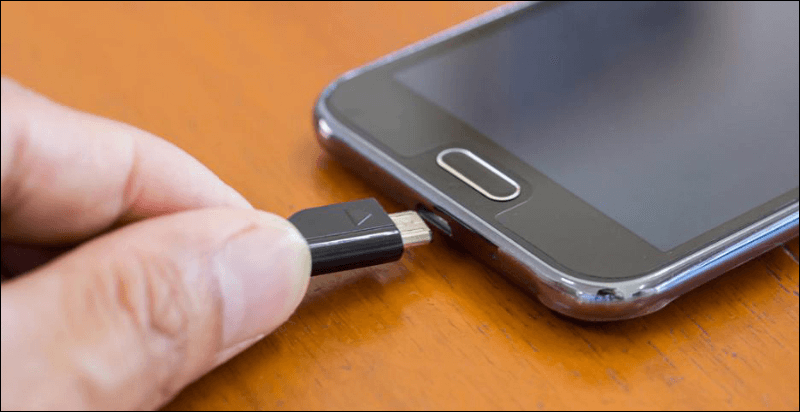
Have you encountered the “phone does not charge” problem? Don't worry, you are not alone! Many smartphone users face the annoying problem of “phone not charging”.
This problem may seem like a disaster, especially when we find that the phone does not turn on and does not respond to charging.
But don't worry!
In this article, we will provide you with effective solutions to this common problem, and guide you step by step on how to revive your phone and get it back to working at full capacity. This article provides you with a detailed explanation of the reasons why the phone does not charge and effective solutions to overcome this problem, step by step. In this article, we will discuss proven solutions to fix the problem of the phone not charging, including: checking the charging cable and charger.
Clean the charging port. Check for damage to the device and solve any software problems with the phone’s operating system
Preventive tips: The problem of the phone not charging, whatever it is
The type of problem you are facing, whether your phone does not charge at all, the phone charges very slowly, or it only charges under certain circumstances, in this article you will find the right solution for you. The following solutions are suitable for devices (Android, iPhone, tablet that does not charge
Or he works.) Whether MicroUSB, USB-C, or lightning cable, the problem may be in the charging cable.
Read also: Checking the Samsung Galaxy battery and solving common problems through 3 methods Read also: How to choose the best reliable and certified original iPhone charger for iPhone 15 Read also 6. Use the phone buttons to determine the cause of charging problems: While your phone is connected to the charger, press and hold the Power button and the Volume Down button at the same time for at least 20 seconds. The first scenario: The appearance of a red light. The second scenario: The appearance of a drawing of an Android robot with the word “Start” and an arrow rotating around it. You may also be interested in: The most prominent signs of iPhone battery damage - alerting you to the need for an imminent replacement!
Use your computer to troubleshoot why your phone won't charge Make sure your computer is on and connected to a power source. Using the original USB cable, connect the phone to the computer. Wait for approximately 10 - 15 minutes.
Disconnect the cable and reconnect it to the phone within 10 seconds. The battery icon appears: A red light appears: In the second case: Charge your phone for at least 30 minutes before trying again. Press and hold the power button to restart the phone.
You may need to click on the “Restart” icon if it appears. Important note: How can Ampere be used to diagnose phone charging problems? Determine charging speed: Ampere shows the phone's charging speed in milliamperes (mA).
Verify the health of the charger: Ampere can be used to ensure that the charger is delivering the correct amperage to the phone. Determine cable issues: If you notice a drop in charging speed when using a particular cable, Ampere can be used to check for a cable issue. Monitor the power consumption of apps: Ampere can be used to monitor how much power different apps are consuming, which can help you identify any app that may be causing rapid battery drain.
In addition to Ampere, there are many other applications available that can be used to calibrate the mobile battery or diagnose phone charging problems. Some of these apps include AccuBattery and Battery Monitor.
Note: How to factory reset your iPhone. 16.
Radical solutions to an old problem: Replace the charging port If your phone is relatively old (more than 3 years), the charging port may be the source of the problem. As we mentioned previously, this port is exposed to frequent pressures and damage with repeated use. There are many possible causes of damage to the charging port, including: using a poor-quality charger. The port temperature is excessive.
Connecting the cable incorrectly. Unfortunately, this problem is difficult to solve easily because it is hardware related. The charging port is linked to the phone’s motherboard. The problem can be solved by: Purchasing a new charging port: You must ensure that the model of the new port matches the model of your phone.
Replace the motherboard: This is a more expensive option, but may be necessary if the motherboard is also damaged. The process of replacing the charging port or motherboard requires high technical skills. We strongly recommend that you seek the assistance of a specialized maintenance technician to perform this process, knowing that the chances of solving the problem of the phone not charging permanently increase significantly by replacing the charging port and performing the maintenance center’s tests of the port and battery before handing over the phone.
Conclusion: Goodbye to the problem of the phone not charging! We have reached the end of this comprehensive guide to fix the phone not charging issue. We have provided you with 16 proven and effective steps, including multiple solutions suitable for different types of smartphones, whether they operate on Android, iOS, or even tablets.
By following these steps carefully, you will be able to: Diagnose why your phone is not charging. Determine the appropriate solution to your problem. Recharge your phone quickly and efficiently.
We hope this guide helped you solve your problem. Additional tips: Make sure to use an original charger and charging cable from a trusted manufacturer. Do not expose your phone to high or low temperatures.
Update the operating system and applications on your phone periodically. If your phone still won't charge, contact your phone manufacturer's customer service. Don't forget to share this article with your friends who are facing the same problem!
The article was updated and revised on 4/14/2024 to include new comprehensive solutions to become your guide to solving the problem of not charging phones and smart devices. Sources: Apple Support, Google Support
, Samsung Support
DROPIDEA
We hope this article has added real value to you. At DROPIDEA, we always strive to deliver high-quality content that helps you grow and evolve in the digital space. Follow us for more useful articles and guides.
Admin
DROPIDEA
Latest Articles

Nscale Acquires Anyscale for $1.65 Billion to Expand Its Dominance in AI Infrastructure

How Is AI Accelerating Meta's New App Launches?

Okta Acquires Security Firm Permiso for Around $200 Million

Microsoft Gains $3.2 Billion from Its Investment in Anthropic



