How to scan the QR code for all devices (iPhone/Android/browser)
 By Admin
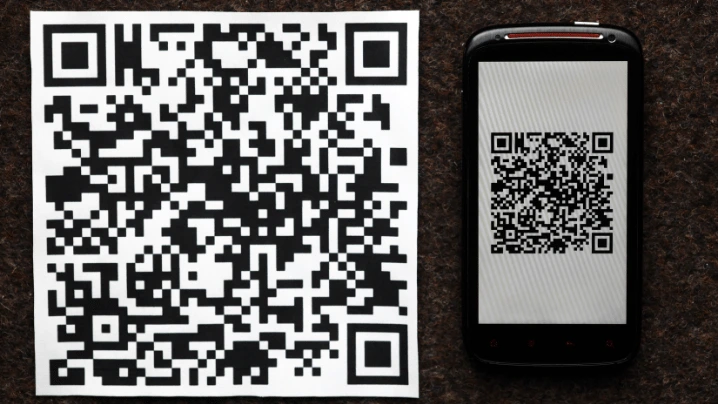
In the modern era of information technology, remote response (QR) codes have become an indispensable part of our daily lives. These symbols provide an effective means of conveying information quickly and easily. However, it may also be a place for malware to be spread by fraudsters with the aim of stealing sensitive data.
Therefore, in this article, we will learn about the correct methods through which the QR code can be scanned for all devices, which enables us to use this technology effectively and safely. What is a QR code and why is it used? A quick response (QR) code is a type of symbol, which is a binary encoding represented in a square matrix containing patterns of black and white.
QR code is used to store and transmit various information such as electronic links, contact information, texts, sensitive data such as payment data, and much more. You may also be interested in: What is the Google Authenticator application and how do you use it to protect your data?
How to scan a QR code for iPhone.
There are many ways to scan a QR code on iPhone. All of which are easy and will only take a few seconds.
First method: Using the camera The back camera can be used
To scan any QR code, this applies only to iPhone devices. To do this process, open the device's rear camera and then shine it on the code or symbol that appears in front of you. Finally, tap the on-screen notification to go to the relevant website or app.
The second method: Use the Journal application from Apple. When you update the system on your iPhone to iOS 17.2, you will find an application called Journal. You can open this app and look for the QR code scanning option and it works fine.
The third method: The Code Scanner function from the iPhone allows
The iPhone has a basic function in its settings, which is the ability to scan a QR code. To access this feature, open the Control Center on your iPhone. Then go to “Code Scanner” and capture the code that appears in front of you by placing the iPhone so that the rear camera can see the code.
How to scan QR code for Android devices. There are also many methods that can be used to scan QR codes for Android devices. These methods include: Using the Google Lens application If you are using an Android smartphone, one of the easiest and most common ways to scan a QR code is to use the Google Lens application, as it is reliable and easy to use.
Once you download and install the application, you can scan the QR code directly. In addition, you can scan the QR code of a photo or screenshot you have. With many other distinctive options.
Use Google Lens from your browser. You can access Google Lens from your Chrome browser. You may also be interested in: How to create your own barcode or your company logo - the best applications for creating a QR Code in five minutes!
Using External QR Scanner Applications There are many applications that can be used as an additional application that is downloaded and installed on the system in Android and iPhone devices. Here are the best scanner apps for iPhone and Android. QR Reader The iPhone-only QR Reader code scanner can scan any code, whatever it is.
It can scan barcodes, puzzles, business cards, PDF documents, etc. It can also detect codes automatically without manual intervention. In addition, it allows users to share data through a QR code.
Finally, it allows the user to create their own QR code and export it as PNG or SVG files and thus use the codes in different contexts. Free QR Scanner This Free QR Scanner application is also one of the popular applications when talking about the best code scanner on Android only. It is a free scanner that allows users to save QR codes on their phones or easily share them with friends.
It also supports the educational process by supporting the scanning of QR codes used in textbooks such as Diksha and ePathshala. QRTiger QR Code Generator This QRTiger QR Code Generator application works on iPhone and Android devices. It has the ability to create and read QR codes.
You can create icons for links, websites, contacts, texts, business cards, mobile apps, and social media accounts. It also allows choosing between static or dynamic symbols. It provides the user with options to customize QR codes in terms of color, style, and logo.
At the conclusion of this journey on how to scan QR codes for all devices. We have become aware of the importance of this technology, and how we can benefit from it in our daily lives. How the experience of scanning QR codes can be easy, fast, and safe at the same time.
DROPIDEA
We hope this article has added real value to you. At DROPIDEA, we always strive to deliver high-quality content that helps you grow and evolve in the digital space. Follow us for more useful articles and guides.
Admin
DROPIDEA
Latest Articles

Nscale Acquires Anyscale for $1.65 Billion to Expand Its Dominance in AI Infrastructure

How Is AI Accelerating Meta's New App Launches?

Okta Acquires Security Firm Permiso for Around $200 Million

Microsoft Gains $3.2 Billion from Its Investment in Anthropic



