Remix OS...the best solution to run Android on the computer
 By Admin
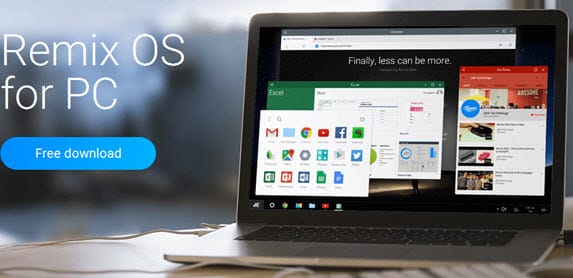
Many users suffered during the coming period as they tried different programs to run the Android system on the computer, such as “Bluestacks,” which had several problems for a long time. But Jide Company offers the best solution to enjoy Android applications and games on the computer and install it as another operating system alongside Windows or Mac. The advantage is that it provides the best experience for desktop computer users. Remix system for running Android on the computer. The company released its “Remix OS 2.0” system with an area of 692.15MB. You can install the system on a flash memory and use it on any external screen or television to enjoy the system always in your hand.
Read also: 5 ways to run Android applications on the computer. The version is available for download via the official website and download it from the official page “Remix OS 2.0”. You will find this message at the end of the page and we will put a correct mark in front of the check box and then download the system. You can install the system on a flash memory using the “Rufus” or “WinToUSB” program, restart the computer and adjust the boot settings so that the flash memory is run as the first option to install the system, then choose a partition other than the Windows partition to install the system.
DROPIDEA
We hope this article has added real value to you. At DROPIDEA, we always strive to deliver high-quality content that helps you grow and evolve in the digital space. Follow us for more useful articles and guides.
Admin
DROPIDEA
Latest Articles

Nscale Acquires Anyscale for $1.65 Billion to Expand Its Dominance in AI Infrastructure

How Is AI Accelerating Meta's New App Launches?

Okta Acquires Security Firm Permiso for Around $200 Million

Microsoft Gains $3.2 Billion from Its Investment in Anthropic



