Explaining the use of Midjourney via Discord to create images with artificial intelligence
 By Admin
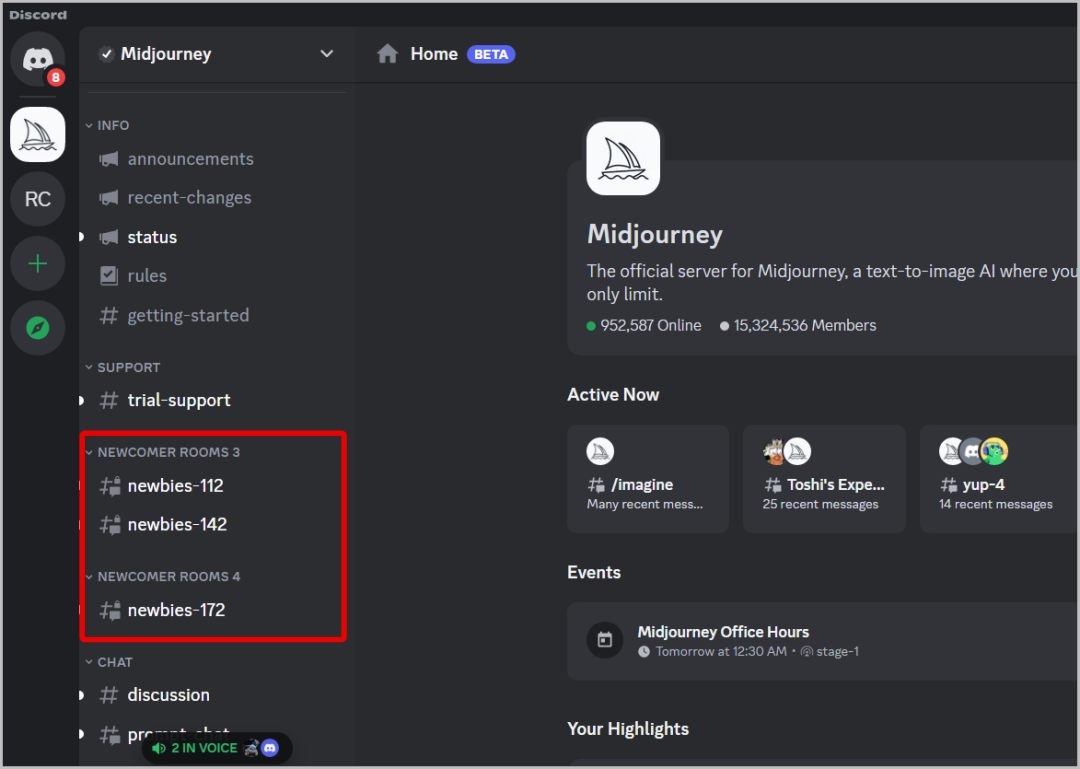
How to Use Midjourney on Your Discord Server Midjourney is an artificial intelligence tool that allows you to create images from texts you write. You can use them to visualize your ideas, create creative content, or just have fun. To use Midjourney, you first have to join their website and create an account.
You can sign up by email, Discord account, or Github account. After registering, you will get 10 free credits that you can use to create images. Each photo costs 1 credit, and you can purchase additional credit with credit card or Bitcoin.
How to add a Midjourney bot to your Discord server How to sign up for MidJourney How to use a free trial of Midjourney How to use the Midjourney AI image generation tool You will see a simple interface with a text box and a “Generate” button. Here you write the text you want to convert into an image. You can write anything you can imagine, such as describing a scene, character, object, or idea.
You can also use some keywords to control some properties of the image, such as colors, size, or style. Some examples of texts you can write are: An orange cat wearing sunglasses and drinking orange juice A man with tan skin, blond hair, and blue eyes in a business suit and carrying a leather briefcase A futuristic underwater city with blue lights, spaceships, and strange fish Midjourney logo in beautiful Arabic font and purple background Now, here is the detailed way to generate an AI image with Midjourney.
How to download images created by Midjourney
On the Discord desktop app and desktop web app: Upload images On the Discord app on Android and iPhone: Conclusion: Some tips and tricks for using Midjourney Be clear and specific with your text. The more detailed and accurate the text, the more realistic and identical the image will be. Use periods or commas to separate different elements in text.
This helps the AI understand text better and arrange elements in the image logically. Try using some keywords that describe colors, shapes, sizes, patterns, atmospheres or emotions. This helps add some artistic and personal touches to the image.
Don't be afraid to experiment and innovate. You can write anything you can imagine, even if it doesn't exist in reality or violates natural rules. You can also incorporate different elements from different cultures, genres or eras.
Be creative and enjoy the process. Related articles: 13 ways to solve the problem of Discord not working or crashing frequently Deleting people from photos with artificial intelligence through 3 effective methods
DROPIDEA
We hope this article has added real value to you. At DROPIDEA, we always strive to deliver high-quality content that helps you grow and evolve in the digital space. Follow us for more useful articles and guides.
Admin
DROPIDEA
Latest Articles

Pangram Raises $9 Million to Detect AI-Generated Content

Encore AI تجمع 30 مليون دولار لبناء وكلاء ذكاء اصطناعي يتعلمون من مكالمات العملاء

Hint: The AI-Powered Home Management Assistant with Martha Stewart's Touch

Startup Runlayer Accuses Rippling of Stealing Its MCP Product Idea

$200 Million to Fight Bots: The Story of Spur Intelligence
Related Articles
ASUS ROG Flow Z13 (2025) available: Everything you could dream of in a gaming tablet.
Pay attention: 10 symptoms that confirm damage to the hard disk and the need for your quick intervention!
