Explanation of the features of the Kidsguard Pro parental control application
 By Admin
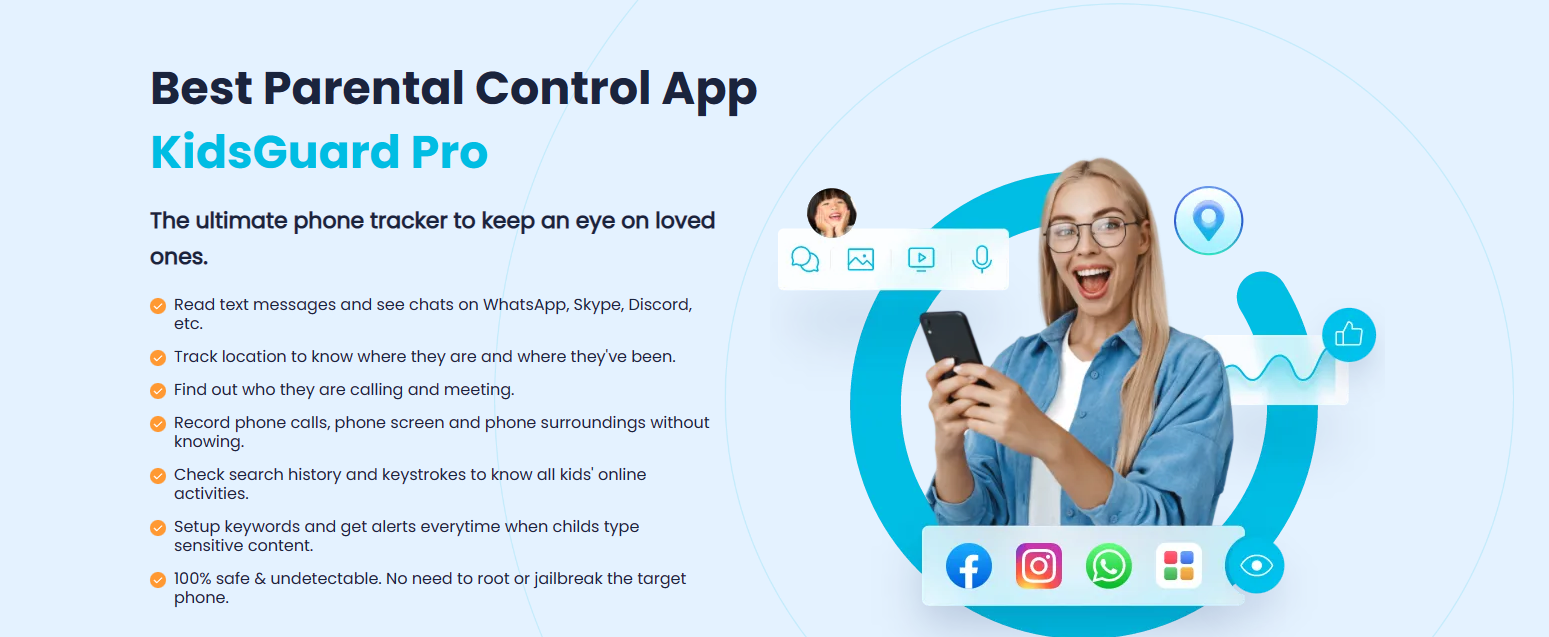
Parental control to protect your children and children, Kidsguard Pro application What is the Kidsguard Pro parental control application? Kidsguard Pro is the magic tool to fully monitor your child's device. From messages, calls, and even location history on the browser. This control continues on a broader scale than multiple data that you can access and follow. Via Kidsguard pro
On your son's phone you can access videos and photos, And use it for all applications, including social networking and video streaming, such as Tik Tok and YouTube. To be your magic wand to protect your children from the dangers of the Internet and exploitation by social media, and from being exposed to bad or pornographic content.
How to use the Kidsguard Pro application is featured here
Kidsguard Pro is available for all systems, which makes the tracking and monitoring process available to everyone. You can implement parental control on Android and Windows devices, or iPhone and Mac devices.
Steps to purchase and download Kidsguard Pro The first step is
Go to the ClevGuard website, and then click on the word “Signup” above. What is also distinctive is that the site supports many languages, including Arabic, and you can choose between them through the globe icon at the top.
You will log in for the first time via your email, or via Google email quickly. After that, you will be shown all the services available from ClevGuard, we will choose
KidsGuard Pro has more than one price package available, we find monthly, quarterly, and annual, and all packages come with good discounts, especially quarterly and annual. You will choose the appropriate package for you and complete the purchase process in order to obtain Kidsguard Pro services. After completing the purchase process, you will go to your products section – My Products
Available in the side menu, you will find the Kidsguard Pro application. Now we will move on to the process of installing the application services on both Android or iPhone systems through the following steps. You can get the full version at a discounted price through the official offer page.
Try now to install the Kidsguard Pro program on Android. We will begin the installation process for Android devices, by accessing this link through your children’s target Android phone, Clevguard.net. You will download the application to your phone through the aforementioned site, and you will complete the process of installing it on the phone normally. Start Monitoring Thus, you can go to your account on the Clevguard website, and then log in and browse all the data and information on your son’s phone.
Adding Kidsguard Pro services to the iPhone in
First, if you have a Windows or Mac computer, you will need to download a special program on your computer through the following link useapp.net. You will choose the appropriate version of the program for your operating system and download it to your computer. After downloading and installing the program on your computer, you will log in with your account, and then a window will appear for you for the type of data you want to display from your iPhone. iCloud data is the data uploaded to the cloud, while iTunes data is the data and information of the phone itself.
First, you will need to install Apple's iTunes application on your computer to complete the linking process, and you can download it from here. Secondly, you will need to connect your iPhone to the computer via USB. Then we will choose View iTunes Data from Kidaguard Pro to view all the phone's data.
The Kidsguard Pro application will start searching and analyzing all the data on the connected iPhone, and then it will show you the available backup copies of the phone's data. You will choose the most recent version if more than one version is available, and then you will click on Start Now, and the application will begin collecting all the data for the target iPhone.
After completion, all the data and information will appear to you, which you can browse with ease, and we will mention all the features in the following paragraph. Features of the Kidsguard Pro parental control application after completing the installation process of the application and linking it to your son’s phone.
We will talk about the features of Kidsguard Pro
Powerful, which makes it unique in the field of parental control to a large extent. The application can provide all the data on your son’s phone, as well as data on different applications and their various types of messages, pictures, and videos.
Live and continuous location tracking
Track their location continuously Locate specific locations for Kidsguard Get information about the Wi-Fi networks connected to your child’s phone Remote Control Remotely control the phone Take a screenshot Live photo with the phone’s camera Word tracking
Record the screen or record video or audio directly and live. The rate of use of applications on the phone. The rate of use of applications - Screen Time. Monitoring calls and messages. Kidsguard Pro also shows the SMS messages in full for the conversation from both parties. Showing the name, number, date and all information. In addition, you can browse all the contacts on your son’s phone. And constantly follow up on the registered numbers. Follow saved videos and photos Full control of application data continues Kidsguard Pro
In adding many features that facilitate the parental monitoring process, In conclusion, these features are the ability to fully control all phone applications, especially social media applications. Access content, search history, and messages as well. You can follow your son's activity on Tik Tok, Facebook, or WhatsApp, know his search history, and also read messages. And watch sent and saved videos and photos.
There is also the ability to view the viewing history of the YouTube application, and the specific time for watching each video. This information applies to all applications and is available for all programs. Kidsguard Pro application for parental control and other applications. We mentioned in detail above all the features of the Kidsguard Pro application
With a full explanation of how to install it on all devices and benefit from it. There are also many other parental control applications available, such as mSpy, spyic, and Flexispy, but these applications lack some of the features or easy connection method available in
Kidsguard Pro, so it was our first and best choice throughout this article. Disclaimer: The content on our site is free, but we may obtain a percentage of profit from some links to purchase programs and services displayed at times.
DROPIDEA
We hope this article has added real value to you. At DROPIDEA, we always strive to deliver high-quality content that helps you grow and evolve in the digital space. Follow us for more useful articles and guides.
Admin
DROPIDEA
Latest Articles

Nscale Acquires Anyscale for $1.65 Billion to Expand Its Dominance in AI Infrastructure

How Is AI Accelerating Meta's New App Launches?

Okta Acquires Security Firm Permiso for Around $200 Million

Microsoft Gains $3.2 Billion from Its Investment in Anthropic



