2022 The best content management system for your website CMS
 By Admin
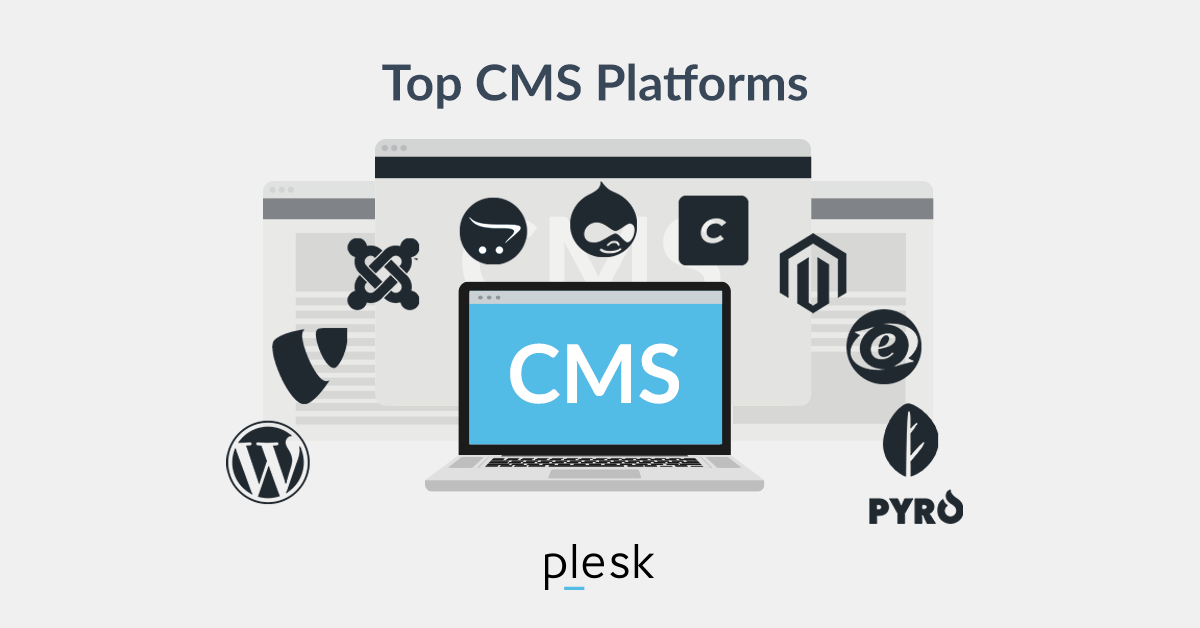
Are you thinking about starting an online business with a website or e-commerce store? Then you need a CMS, a content management system. This article tells you what a CMS does and how to choose the best one, both technically and keeping in mind your specific requirements
. We previously talked about hosting your site and 10 important points and also what is new in WordPress 5.9 (features and screenshots) The global market for content management systems is growing significantly: by 2026 it is expected to reach $123 billion. CMS technology will be increasingly crucial to the success of online businesses, thanks primarily to the development of easy-to-use and SEO functionality, giving web projects that choose the best solutions a head start.
What is a content management system? CMS stands for Content Management System. Besides helping you create a website in minutes, a CMS simplifies managing all the content you put on your site: blog posts, video tutorials, product pages and so on.
One of the major benefits of a CMS is that you don't need to be familiar with programming languages like HTML, CSS, or Javascript to manage the content on your website. CMS systems use WYSIWYG (“what you see is what you get”) editors, so you can create content exactly as it will appear to users, without having to worry about entering formatting commands specific to different programming languages. For people whose knowledge is limited to Word, this is an important feature!
Content Management Systems: The best investment for your online project CMS platforms offer other interesting features to help users manage the content of their websites: easy import of multimedia content such as images, video, animation, audio tags and categories, to create collections of related content, a blog system, a search function for the entire site, the possibility of creating an e-commerce system. With a user interface and dashboard with all the functionality you need, a CMS makes creating and managing website content fast and simple.
CMS or website builder?
At this point, you may be wondering what is the difference between a CMS and a website builder? Although both types of system provide integrated functionality, templates, and plugins to help you create a custom site without having to write code, they take different approaches to creating and managing websites. If you are looking for a practical solution that provides multimedia pages, a custom domain, and hosting service to handle security, backups, and site maintenance, a website builder is the best choice.
But although it will provide an interesting and complete package, it will not include the content management functionality and customization options that other CMS platforms offer. When a CMS is the Best Choice If you want a more sophisticated site that will scale over time and allow you to manage its design and organize content with tags and categories, choose a CMS. The content management system is ideal for users: with no advanced technical skills in IT and programming; With little time to devote to managing the site; Who do not want (or cannot) invest significant resources in developing proprietary solutions; Who run large websites or e-commerce systems and want to keep things as simple as possible.
Choosing the Best CMS Platform There are hundreds of CMS systems on the market, ranging from very simple to very complex, available for free or for a fee, with large support communities, multilingual options, etc. Your choice of CMS for your online project depends on a variety of factors but be aware that there is no “absolute” best CMS. Some content management systems will be a better fit than others, depending on your business type, marketing goals, IT knowledge, time available, and budget.
What type of website do you need? Thinking about the type of content you want to publish on your website will help you choose the right CMS. These platforms are used for four main purposes: 1.
Web Content Management A web content management system enables your organization to manage different types of digital information on a website, especially dynamic content that needs constant updating. Some WCM platforms are free or low-cost, but they don't offer regular updates and patches, which means they're more vulnerable to hacking. 2.
Blogging and News Publishing If you need a content management system to publish articles or news on your blog, a platform that allows you to create large amounts of articles as quickly as possible is the solution. All editorial content creators will require access to a single, easy-to-use content management system that allows them to quickly create, edit, plan and publish new content. In some cases, access to articles and/or the possibility to comment on posts should be limited to subscribers or specific categories of users.
3. Social Publishing and Community Development Besides managing web content and publishing blog posts and news, a CMS can be used to create an online community. In this case, advanced functionality is required so that users can play an active role, for example by creating content.
4. E-commerce If you are looking for a CMS for your e-commerce system, you will likely consider a proper SEO solution to enable potential new customers to easily find your products on Google. It should also be secure, reliable, and easy to customize (and easy to use if you're taking your first steps online).
Proprietary or Open Source CMS Choosing between an open source CMS or a proprietary solution involves issues including: reliability, your budget. Let's consider the question in more detail. Proprietary content management systems are developed and maintained by companies whose business is to create and sell software.
The user pays a license fee for the software but does not have access to the CMS source code. The cost of a proprietary CMS varies, from a few tens of dollars to hundreds of dollars per month, but reliability is excellent, with support services running 24/7. On the other hand, an open source CMS is a system created by a community of online developers and made available to any user on the web.
Since the programming code is open, anyone can adapt the CMS to their project requirements and also create new functionality, which can in turn be made available to other users (WordPress plugins are an example). From a financial point of view, an open source CMS is more interesting than a proprietary one, because there are no licensing fees, but it may be less reassuring if your online experience is limited.
I succeeded
The ease of use of the open source CMS and large online communities of users and developers offset this concern by making it easy to extend these platforms: WordPress is the most widely used content management system on the web.
Other open source platforms such as Drupal and Joomla!
And Magento. Choosing a CMS: Characteristics That Make the Difference So far, we've looked at the overall categories to consider when choosing the best CMS for your project. At this point, you need to know the specific characteristics that should guide your decision: Function:
Choose a content management system with optimized development features for your web project. In general, there are 3 functions you should always look for in a CMS: an open system of APIs, and additional components
Ready to use, customizable design.
Ease of use: The best CMS you can choose is the one that makes your work and the work of your team easier. Think about the activities that need to be done on a daily basis and the level of specialization of your content creator.
Then, with your team, test a demo of the systems you think look most interesting, to verify that the CMS simplifies the workflow.
Flexibility and Customization: The CMS you choose should be flexible and suitable for both developers and content editors working on the back end. It should also allow you to customize the visitor's experience on your website.
SEO: If you want to make sure you appear on the first page of search results, you need
SEO friendly content management system
. In other words, a system with simplified code for fast site loading, which makes it easier for web pages to be scanned by search engine crawlers and offers meta tag customization options. It should also be mobile friendly.
Security: Your website will gain possession of a variety of personal data, from innocuous, anonymous information to highly sensitive data such as your customers' credit card data. Online security should be a priority, so choose a content management system that ensures protection from major risks on the web.
Support and Help: This is a crucial factor, especially if you are not an expert and need to make sure you receive help when necessary. Make sure you include help with licensing and check out online customer reviews.
Price: The final differentiator in choosing the best CMS for you will undoubtedly be the cost of the platform. Some CMS are free, others require a paid user license.
Your decision should take into account the budget you have at your disposal, but also:
What do you need now?
What are your goals?
Medium/Long Term ? Establishing these two points will help you make the right decision.
CMS: 15 Most Popular Systems As we said, the market offers hundreds of web content management solutions, some better known than others. Your choice of CMS should take into account the points we've looked at here, filtering the different options according to your specific requirements. A list showing how widely used different content management systems are can help you decide, because it tells you how easy it is to find online help to deal with any problems.
Here are the 15 most widely used CMSs, with their market shares: WordPress.org (65.2%)
Shopify
(6.7%) Wix (2.9%)
Square Space (2.7%) Joomla!
(2.6%) Drupal (2.0%)
Adobe (1.5%) Blogger (1.5%)
Bittrex (1.4%)
OpenCart
(0.9%) Presta Shop (0.7%) webflow (0.7%)
Weebly (0.5%) Tilda
(0.5%) GoDaddy Website Builder (0.5%) Source: W3Techs. Did you know that MailUp can be integrated with the major CMS on the market?
Find out more about MailUp integrations. Best Ecommerce Content Management System: Choosing a Content Management System If you want to open a website as an online store, you should use a content management system that is created specifically for this purpose. CMS systems for ecommerce systems allow you to create, edit, and publish content including category pages, product spec sheets, images, user lessons, customer databases, and much more.
Most e-commerce content management systems have functionality designed to simplify online store activities, such as order listing, warehouse management, payment gateway integration, and implementation of the best customer data protection solutions, such as the HTTPS protocol. The following CMSs are ideal for creating an e-commerce system: WooCommerce (WordPress e-commerce plugin), Magento, Shopify, PrestaShop, TYPO3, BigCommerce. You may also want to choose an e-commerce CMS that can sync and integrate through plugins with your email and SMS marketing system, making it easy to develop a customer journey that is effective (for your customers) and simple to manage (for you and your team).
If you use a transaction platform like MailUp, integration and synchronization with all major e-commerce CMSs on the market is guaranteed. Learn about MailUp integrations. Conclusions Content management systems are a boon for users who are not programming experts.
If this applies to you, you can use a CMS to create the structure you need to publish your content, customize the layout of your website and connect to other tools (through APIs). What is the best CMS? This is something only you can decide!
You now have the information you need to weigh different platforms, but to make the right decision, make sure the CMS is right for your requirements and marketing goals. Source: mailup. Translated and translated by Identity Blog #WordPress #Electronic #Design #Web #Online #Site
DROPIDEA
We hope this article has added real value to you. At DROPIDEA, we always strive to deliver high-quality content that helps you grow and evolve in the digital space. Follow us for more useful articles and guides.
Admin
DROPIDEA
Latest Articles

Microsoft Gains $3.2 Billion from Its Investment in Anthropic

Zuckerberg: Billions of People Will Have AI Assistants Within Five Years

Microsoft Enters Direct Competition Against OpenAI and Anthropic

Pangram Raises $9 Million to Detect AI-Generated Content



