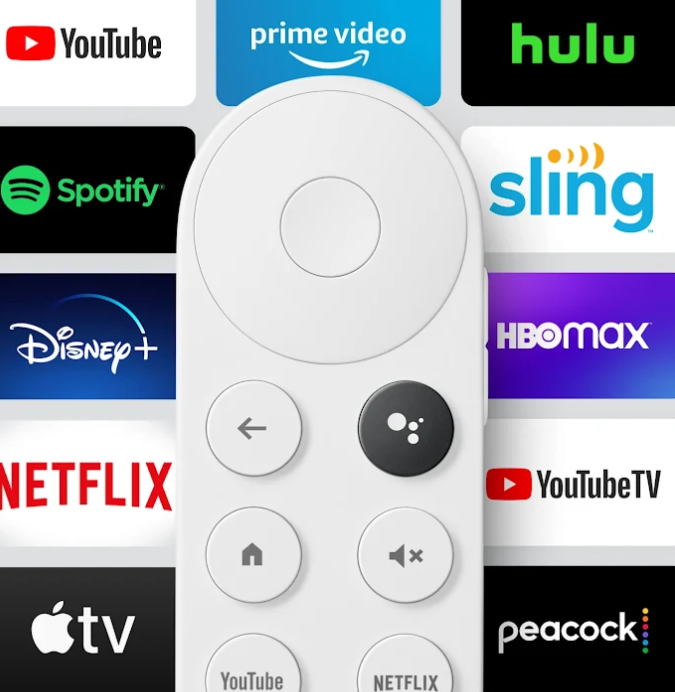
Chromecast is one of the famous Google devices, which guarantees you many features despite its small size and low price, and its connection to TV screens can add many different features and uses to this screen and turn the TV into a Smart TV.
Google Chromecast is not limited to video streaming only, but there are many other useful uses, Therefore, during the article, we will mention many Google Chrome Cast ideas to achieve maximum benefit and features. What is Google Chrome Cast? Chromecast is one of Google's products, and this product specializes in broadcasting content to screens. The Chrome Cast consists of a piece that is installed in the screen and is controlled by the remote that comes with it. It contains the Android system dedicated to screens, and turns the screen into a smart screen with a smart system through which you can do a lot, You can connect the Chromecast and the screen to the Wi-Fi network, and then broadcast content, download programs, and even games. As we mentioned, Chromecast comes with a complete system for it, so you can do many things and controls between it and your phone, some of which we will mention throughout the article.
Displaying images through Google Chrome Cast. One of Google Chrome Cast’s distinctive ideas is to display or browse images on the screen. You can do this in different ways. As we mentioned above, the Android system on Chromecast allows you to download multiple programs. Including cloud programs such as Google Photos or Dropbox, through which you can view and view photos, videos, and beautiful moments between you and your family and friends. What is special here is the use of the large screen without the need for your phone or computer screen. You can also choose some of this distinctive image of yours to be displayed continuously on the TV screen connected to Chromecast, which is called Ambient mode. Via the Google Photos application, and the Google Home application on your phone. Displaying your laptop screen via Chromecast is also one of the powerful features that Chromecast offers you, is the ability to display your laptop screen on a large screen. This method allows you to display your work or project, for example, or browse the Internet or applications and watch the content of the laptop on a large screen.
Read also: Displaying the mobile screen on the TV and computer for Android through 6 methods. Steps to display the laptop screen using Chromecast. First, you will need to download the Google Chrome browser on the laptop from here. After that, we will open the Google Chrome browser and click on the three dots in the top bar, We will find the Display option – Cast. By clicking on this option, the laptop will start searching for nearby devices available to pair with. Google Chrome Cast will appear, after which you can view the laptop screen completely and freely, or view the Google Chrome browser pages only. Mobile games on a large screen using Chromecast. Do you want some entertainment?
For you or your children? Without having to buy a special gaming device or computer, Google Chromecast can also do this by taking advantage of the large screen size that is appropriate for this. You have the ability to download some games suitable for Google Chromecast through the Google Play Store. There are also a number of phone games suitable for running on Google Chromecast. In addition, Google Chromecast is an open source system, so if you want to take the experience a step further, You can download different games, especially for old consoles and older generations, transfer them to Google Chromecast and enjoy them.
But do not hope for too much, as the hardware for this tool is still weak, and is only suitable for medium and small games. You definitely have the ability to connect a controller to play with it. Enjoying podcasts on Google Chromecast Podcasts or audio programs have spread greatly in recent years, and have become pervasive in all fields, You can enjoy podcasts at home during your break or on the road during your trip or work. As one of the powerful recent additions to our world, you can benefit from it like reading some books.
Sometimes you need to listen to your favorite audio programs on powerful headphones, To share it with your children if it is an educational audio program, or even with your family or friends, Therefore, through Google Chromecast, it is possible to enjoy various audio programs through the availability of broadcast programs on the Google Play Store as well. Giving you complete flexibility to enjoy audio content, not just visual content. Google Chrome Cast to help you exercise. What's special about Chrome Cast is its connection to a large screen, which allows you to perform multiple tasks and rely on Google Chrome Cast as well.
One of these distinctive tasks and uses is broadcasting or displaying a video or sports program, which helps and encourages you to increase your fitness. By displaying the exercises in audio and video in front of you, which allows you to do the exercises correctly because you can see them clearly in front of you, And encourage you to continue. There are many fitness and weight loss programs available in the Chrome Cast app store.
DROPIDEA
We hope this article has added real value to you. At DROPIDEA, we always strive to deliver high-quality content that helps you grow and evolve in the digital space. Follow us for more useful articles and guides.

Admin
DROPIDEA
Latest Articles

Microsoft Gains $3.2 Billion from Its Investment in Anthropic

Zuckerberg: Billions of People Will Have AI Assistants Within Five Years

Microsoft Enters Direct Competition Against OpenAI and Anthropic

Pangram Raises $9 Million to Detect AI-Generated Content



