7 tips to avoid infection from WhatsApp viruses and common hacking tricks
 By Admin
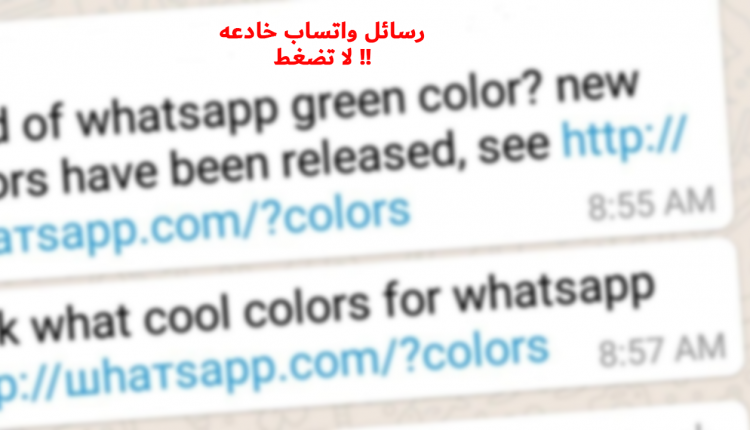
The rate of WhatsApp usage is growing insanely, as it is the most widely used communication and calling application around the world, but this is what makes it vulnerable to hacking and spying attempts. You may wonder, are WhatsApp viruses real? How can it infect your phone or computer? There are deceptive things, dear user, that you should pay attention to, and this is what this article will talk about and how to protect WhatsApp from hacking.
Common hacking tricks for the WhatsApp application. Many users of smart devices believe that they are not infected with the viruses that infect computers, but this information is wrong, as no system is immune to viruses, and this includes Android, iOS, and WhatsApp, which is owned by Facebook. The University of Cambridge discovered last year that 87 percent of Android phones are vulnerable to at least one serious security vulnerability, and this calls for you to learn how to avoid infection from WhatsApp viruses and the common hacking tricks that it uses. Hackers. Recently, many vulnerabilities have appeared in the WhatsApp application that help hackers hack into your phone and steal personal data, through loopholes or using malicious applications, or both. We will now talk about the most famous hacking tricks and how to avoid infection from viruses sent via WhatsApp in several deceptive images, so let us go. 1.
Taking advantage of software vulnerabilities in the application. We mentioned in the previous lines that there are a large number of ways that help hackers penetrate the WhatsApp application, and at the top of the list are the software vulnerabilities in the application, and one of these vulnerabilities depends on sending MP4 video files, but these files are very harmful when they are run on the mobile phone and include a toxic link that may cause your data to be withdrawn. There has also been talk previously about an attempt to hack the phone of “Jeff Bezos,” the founder of Amazon, via a WhatsApp video message from one of the parties in the Kingdom of Saudi Arabia, and this is according to international reports published in this regard. If there is an attempt to hack Jeff Bezos, one of the most powerful men in the world, due to a video containing a virus sent via WhatsApp - we are also easily exposed to this!
2. Hacking WhatsApp by stealing the verification code. Some hackers add WhatsApp accounts to their phones using other people’s numbers, and then the application requests the verification code sent to your phone in the form of a message containing 6 numbers. Sometimes there are other options, such as making a phone call and being notified of the secret code for activating the account. Here comes the role of hackers who access voicemail messages using some applications to steal the activation code or attempt to contact you and obtain this information from you personally in deceptive ways.
This means that he was able, using an easy trick, to obtain your WhatsApp verification code without your knowledge, and thus he will be able to get what he wants from your personal conversations. Read also:
6 methods used by a hacker to steal your password 3. Accessing your phone and stealing data If your phone falls into the hands of a hacker who likes to try what he has learned on his friends or relatives, he will be able to hack WhatsApp by stealing the Mac address of your mobile phone. In other cases, the activation number for WhatsApp is taken so that he can access your account from his phone, or he may install harmful spy applications. Make sure to monitor your phone and make sure that it uses a trusted person so that he is not able to steal information or data that may help hackers hack your WhatsApp account.
Read also: How to delete Android viruses and suspicious applications 4. Install the modified version of WhatsApp If you search on the Internet for the WhatsApp application, you will find a huge amount of unofficial (modified) applications, which are applications that facilitate the work of hackers because they are full of security holes and programming errors. Therefore, do not install any unofficial applications and do not open any files of unknown origin, especially videos sent to you from unknown people.
How to avoid infection from WhatsApp viruses and common hacking tricks? How to avoid infection from WhatsApp viruses Although cases of WhatsApp virus infection are rare, there are still some steps you can take to ensure that you are protected from exposure to viruses, and that you are less likely to fall victim to common hacking scams.
1. Verify that the installed applications are from the main source. Downloading the WhatsApp Plus application, or WhatsApp Gold, is a real danger to your mobile phone, as it constitutes an easy environment for hackers who want to access your phone. In this case, they will enter in the form of a legitimate application, but it is not. Download applications only from the official store for your phone, whether through Google Play or through the Apple Store, and verify that the company on the store page looks authentic.
2. Do not open suspicious files Do not let curiosity overcome you and push you to open files that seem a little strange, especially if they are sent by someone you do not know. 3.
Install Mobile Antivirus Software Connecting to the Internet without any antivirus software on your computer is a huge risk, and you'd be remiss on your mobile phone if you didn't do the same. It is certain that you use your phone to browse more than your laptop or desktop computer, as it is estimated that in 2025 the percentage of access to the web from mobile devices will increase to 72 percent. A good anti-virus application can eliminate them the moment you find them, thus ridding your phone of the risk of infection with any type of virus. If you are wondering how to avoid infection from WhatsApp viruses and common hacking tricks, the best solution is to use a phone anti-virus application.
It is recommended to use the Norton Mobile Security application, as it is a distinguished application in eliminating all viruses that may threaten your mobile phone. Read also: The 5 best protection applications for Android with strong encryption 4. Consider purchasing an iPhone. Apple devices are less vulnerable to viruses thanks to the protected structure of their operating system. 5.
Constantly update the WhatsApp application. Security patches are issued in WhatsApp applications periodically in order to remain strong in the face of potential viruses. Therefore, make sure to constantly update the WhatsApp application, and be quick to install it as soon as the company releases a recent WhatsApp version. 6. Activate the two-step verification feature. Activating this Two-Step-ver feature will provide great protection for your WhatsApp account and make hacking it almost impossible. To activate this feature, follow the following steps: 1.
Enter the WhatsApp application from your phone and go to Settings. 2. Choose the Account option.
3. Click on the Two-Step Verification option, or as you see it written in English, Two-Step Verification. 4.
Click on the Activate button. 5. The application will now ask you to enter a 6-digit password.
6. Type your email address that you will use as your password in case you forget the password. 7.
Two-way conversation encryption This feature is one of the most important features of WhatsApp applications. Two-way encryption between the two parties means that the data sent between them will not appear in its clear form, but rather will appear in the form of symbols and ciphers. You can ensure that you have activated the encryption feature by following the steps below. Open the conversation whose data you want to ensure is encrypted. Click on the photo of the person you are messaging to see more data.
Click on the Encryption icon. The QR code for the conversation will appear in front of you. Take a screenshot and match the numbers below the code with the numbers that will appear on the other phone. With the application, you will be able to send whatever data or pictures you want without worrying about them being stolen or being spied on by strangers. More: 8 settings to protect the Zoom application. How do you use the password manager for Android and what are its benefits?
How to protect your Instagram account from theft – 5 steps
DROPIDEA
We hope this article has added real value to you. At DROPIDEA, we always strive to deliver high-quality content that helps you grow and evolve in the digital space. Follow us for more useful articles and guides.
Admin
DROPIDEA
Latest Articles

Microsoft Gains $3.2 Billion from Its Investment in Anthropic

Zuckerberg: Billions of People Will Have AI Assistants Within Five Years

Microsoft Enters Direct Competition Against OpenAI and Anthropic

Pangram Raises $9 Million to Detect AI-Generated Content



