The best free and paid logo design programs for the computer
 By Admin
To create a professional logo that perfectly conveys your brand identity and values, you need suitable logo design software that is full of options. For the user, these programs are a secret magic tool for business success. The logo is the heart of your business.
No doubt other relevant factors are also important, but the logo is definitely the first impression of your company. A great logo is a beautiful combination of letters, shapes and colors. To get a strong logo, you definitely need the best professional logo design program.
This article includes a list of the best free, paid software for designing logos. The best free logo design programs Graphic design is a very large field and its size is increasing day by day. One very original aspect of graphic design is logo design.
Logos have been around for a long time, they are very important because they define brands and make them stand out. Moreover, if you are just starting your logo design journey, this list is for you. Here is our list that we will discuss today about the best free logo design programs on the computer that help you create your company logo with simple clicks and for free using some of the accessories included in it, and most importantly, it is suitable for beginners.
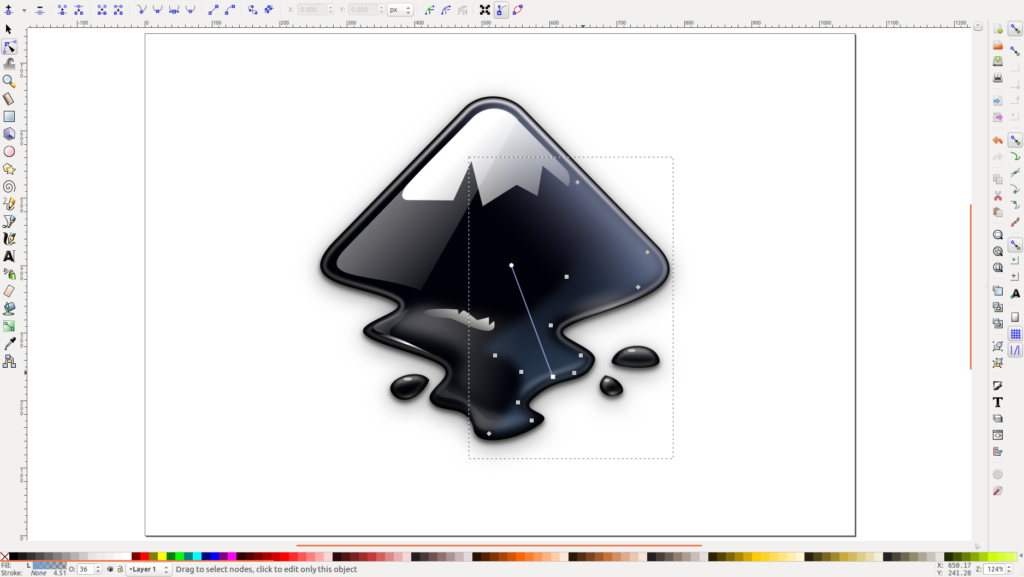
Some of them offer simple features for free but you can get more extensions when you get the full versions of them. Inkscape Inkscape is a very distinctive logo design program.
This isn't the easiest program for beginners, but it's perfect for logo design. It has many powerful features that allow you to easily manipulate elements in order to create distinctive logos that will promote your brand professionally. Inkscape relies on artificial intelligence, which is highly sought after in logo design, as it makes resizing and scaling logos possible without any loss or distortion in quality.
It comes with a set of very useful tools which makes it one of the most effective software for beginners and professionals. It is a free logo maker with tools like adding and editing text, color palettes, etc. There are also other tools like stroke, gradients, effects, color modes, transparency, and more, all of which are available to you to design a good-looking logo.
If you are looking for a free and open source logo maker, Inkscape can be very useful for you. The program receives updates from the developer on a regular basis, so you can easily find resources and tutorial videos to get started. Logo Design Studio Pro Logo Design Studio Pro is a very easy logo design software for beginners.
It is an easy-to-use tool for creating beautiful logos. This software is among the best sellers due to its simplicity as well as the amazing logos that are designed with it. The program is compatible with desktop as well as browser based.
Logo Design Studio Pro requires no previous experience. It gives you a bunch of different graphic elements that you can choose from. It comes with over 2,000 templates and 6,000 graphics, shapes, and fonts, all of which are customizable.
You can manipulate layouts and templates, change colors, modify styles, and more. Logo Design Studio has different effects.
This program is based on artificial intelligence and produces faces with high clarity and accuracy. However, Logo Design Studio Pro can be limited to some limited design capabilities. But when it comes to beginners, this software is a very powerful design tool.
Read also: Your comprehensive guide: Explanation of the Figma program - the revolutionary design program Designhill Designhill is an excellent logo design program that enables you to create wonderful logos quickly. It is very suitable for beginners. Anyone can use it to create amazing logos even if they have no design skills at all.
Designhill Powered by Artificial Intelligence. To design your logo, you need to provide some information about your brand.
Such as business name, type, nature, color palette, symbols, icons, etc., the software will create plenty of professional logos to choose from. The program will overlay the logo on real objects such as business cards, etc. to see how the logo will look to the end user. There are many customization options as well, such as modifying colors, shapes, and sizes.
Designhill is a great program that makes the logo design process easy and simple. Adobe Illustrator This is the most popular logo design software for both professionals and beginners because it offers great, advanced tools and a high level of control over logo design. Illustrator is packed with features that will simplify the design process for you.
Besides, it has a set of useful features when it comes to professional logo design. With this software, you can import scanned graphics to build your design on. This feature is very useful because most designers start by sketching their ideas on paper and then convert them to digital.
The drawing process on paper is highly recommended first, so if you are a beginner, we highly recommend that you start the design process from scratch on paper first as it can be a powerful step before moving on to software. Adobe Illustrator comes with several drawing tools such as brushes, shapes, pen tool, and more.
You can add text in more than 16 thousand fonts. You can choose from many pre-designed templates.
Hatchful Hatchful
It is a free logo maker from Shopify the popular e-commerce platform. Hatchful works on iOS and Android devices, and is available for desktop as well. It is one of the easiest logo design programs, with a very easy-to-use interface, especially for beginners.
Therefore, if you do not have experience in logo design, this application is suitable for you to create logos professionally. Hatchful will create professional, high-quality and accurate logos with a large number of templates without any prior skills required. Read also: DesignEvo tool review - the best way to design a free professional logo for your project The best paid logo design program The best paid professional logo design program will help you design a beautiful, eye-catching logo without effort.
You can hire a professional freelancer or company to create a logo for your business. But sometimes, outsourcing your logo design can be a bit heavy on your pocket. Alternatively, you can do it yourself with the help of affordable logo design software.
Adobe Illustrator Adobe Illustrator is an integral part of the Adobe creative software suite and has a lot of features that allow you to create amazing logos in no time. With this logo design software, you can use all the available editing tools and design your own logo according to your personal preferences. You can subscribe to the paid program package, which starts from $20 per month.
And features like Puppet Wrap that makes logo editing quick and SVG OpenType fonts that let you include a beautiful array of colors in your logo, fully justify the price. Program Features: Offers a 30-day money-back guarantee. Compatible with all devices running Windows and Mac operating systems.
You can easily resize and move the toolbar and menu. LiveSketch features provide amazing results. CorelDRAW Offering over 10,000 logo templates and millions of templates, CorelDRAW makes creating a logo for your brand super easy, even if you're a design newbie.
In addition, it contains a comprehensive list of different templates to choose from, enabling you to design a logo that suits your company's taste. As a paid design software to create your own logo, it offers many shapes and more than 100 stylish and readable fonts. Within minutes, you can get amazing results.
There are some amazing customization options as well. You can change the color, size, font, background, position and everything you want just by some amazing editing tools.
Program features: You can customize the size of your logo as desired.
It enables you to play with symbols, colours, shapes, fonts and backgrounds. Edit further anytime you want after saving it. It gives you great template options for any use.
TurboLogo This program is one of the best paid programs for designing a professional logo. Besides, it is one of the fastest and easiest solutions to design a logo for your brand. And don't be surprised, you can literally create a beautifully and creatively designed logo with TurboLogo in just a few minutes.
Also, you don't have to design the logo from scratch, which can be time-consuming and voluminous. All you have to do is enter the required specifications as needed for your logo design, and the program will immediately start creating beautiful design options. I was very surprised by the simplicity the program provides in designing logos and the impressive end results.
You can design a logo using many tools and features, and many templates that come with simple shapes, bright colors, and a clean arrangement of elements, which is what you need, since complex logos have become a thing of the past. Moreover, the editing tool in this program has hundreds of font options, and the icon set also contains millions of images to choose from. Creating a logo with TurboLogo is fun and creative, which is what you need in a professional logo design software.
Besides, it comes at a very reasonable price. You can use various options to download your logo, which include a logo with a transparent background, and different black and white color options. It's a great feature because you can easily download the logo to your device and use it however you want.
Also, they have 7 days a week online support, which means uninterrupted customer service around the clock. Program features: Integrating artificial intelligence into graphic designs Very easy to customize logo designs Thousands of logo templates Intuitive and easy-to-use editor Create the right logo for your brand in just a few minutes Adobe Photoshop Adobe Photoshop is truly a wonderful program within the Adobe family, which is known as the king of image editing. Many typical features like filters, color levels, templates and many more make Photoshop the most sought after logo designing software.
However, it requires you to have some Photoshop skills to create effective logos. It works perfectly for novice users too. The user-friendly features make designing logos very easy.
The professional version of Adobe Photoshop comes at $20.99 per month. Program features: Adobe Photoshop is a great program for image processing and logo design and comes with professional features. It works flawlessly with other Adobe products.
Versatile program. You can include animations too. You can easily transfer logos between different Adobe programs.
Related article: The best Adobe programs for design and editing Summary In this article, we learned about the best free and paid logo design programs. Note that most of these free programs will provide you with a simple set of basics for designing a logo for your company, and you may need to purchase a professional version to obtain greater features that will help you in completing designs for brands.
DROPIDEA
We hope this article has added real value to you. At DROPIDEA, we always strive to deliver high-quality content that helps you grow and evolve in the digital space. Follow us for more useful articles and guides.
Admin
DROPIDEA
Latest Articles

Microsoft Enters Direct Competition Against OpenAI and Anthropic

Pangram Raises $9 Million to Detect AI-Generated Content

Encore AI تجمع 30 مليون دولار لبناء وكلاء ذكاء اصطناعي يتعلمون من مكالمات العملاء

Hint: The AI-Powered Home Management Assistant with Martha Stewart's Touch

Startup Runlayer Accuses Rippling of Stealing Its MCP Product Idea
Related Articles

ASUS ROG Flow Z13 (2025) available: Everything you could dream of in a gaming tablet.
Pay attention: 10 symptoms that confirm damage to the hard disk and the need for your quick intervention!
