How to reduce battery consumption on iPhone in five effective ways
 By Admin
Over the years, Apple has improved the iPhone's battery life, as modern phones can last for about a day or more (depending on your usage pattern). However, battery life and health do not remain the same over time. There may be situations where you want your iPhone to last longer.
Maybe you're out and about and want to make sure your phone won't let you down, or want to prevent abnormal battery drain that might be worrying. Whatever the reason, there are some tips and tricks on how to reduce iPhone battery consumption, which when used together can make a big difference. So if you have recently purchased a new iPhone, you should know these tips to maintain the battery health on your phone in the long run.
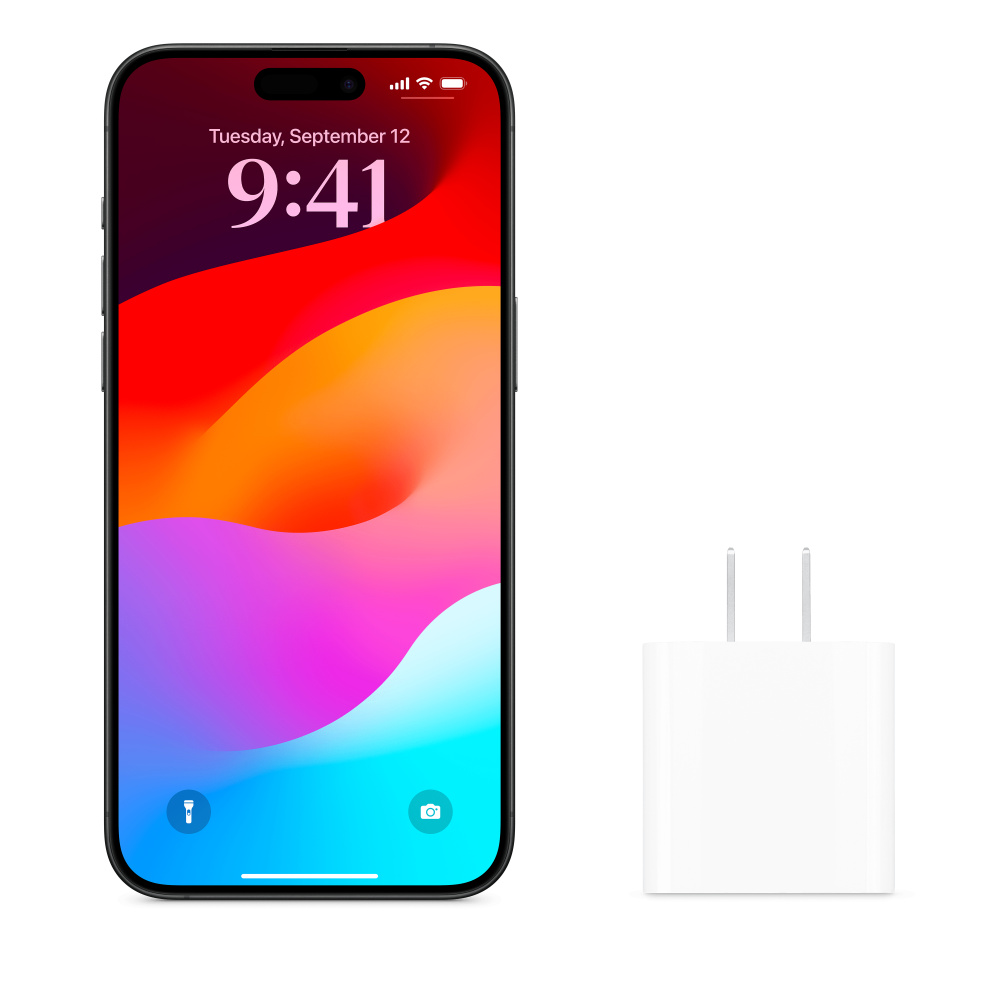
With this inevitability in mind, it's important to think long-term about your phone's battery, even when it's new, and use some of these tips to ensure your battery life (and thus its charge capacity) is extended further. To help with this, it's wise to follow some, if not all, of the steps we'll suggest below. Use Apple-approved charging accessories One of the most useful tips for reducing battery consumption on your iPhone is to make sure you only use Apple-approved chargers and cables.
While the market is full of many chargers that can power your phone, not all of them are approved by Apple. This means that it is not good enough to maintain the health of your iPhone's battery. Furthermore, low-quality power adapters and cables may cause charging issues that may affect your device.
To avoid any complications, you should only use Apple-branded or certified charging accessories. When looking for third-party options, look for certified chargers such as Anker, which are trusted global brands. Adjust Screen Brightness and Auto-Lock Timeout An overly bright screen is one of the main factors that drain the battery in any smartphone, including your iPhone.
When you keep your phone at a higher or maximum brightness level, it affects battery life. You can definitely lower the brightness to save battery on your iPhone. To manually adjust the brightness, head to the Control Center and move the brightness slider up/down.
You can also go to Settings -> Display & Brightness and then drag the slider. Once you've set the brightness, you'll need to turn off auto-brightness to make sure the operating system won't change it automatically. Go to Settings -> Accessibility -> Display and Text Size.
Then scroll down to the bottom and toggle “Automatic brightness off.” Don't forget to lower the auto-lock timeout. As a reminder, it is a feature that locks your iPhone's screen when it is not used for a specific period of time (ranging from 30 seconds to 5 minutes).
In order to reduce battery consumption on your iPhone, you should choose the shortest time duration, i.e. 30 seconds. Open Settings -> Display & brightness -> Auto-lock and choose a shorter duration. Use Low Power Mode Low Power Mode is one of the best ways to extend battery life on your iPhone.
It is a life-saving feature that helps you extend battery life when your iPhone is low on charge and you want it to stay alive as long as possible. However, there are some trade-offs. Low Power Mode disables or restricts some features like AirDrop, Background App Refresh, iCloud auto-upload, email notifications, and more.
You can do basic things like make calls, send messages, emails, and more. Your phone will automatically prompt you to enable Low Power Mode when the battery percentage drops below 20 percent. You can also enable it manually.
Open Settings -> Battery and switch to Low Power Mode. Better yet, there's a quick way to do it. Go to Control Center and tap the battery icon.
Related article: What does a yellow iPhone battery sign mean? Switch to Dark Screen Mode in order to reduce battery consumption on iPhone Did you know that Dark Mode can help you save battery power on iPhones with OLED screen? On an OLED screen, each pixel is illuminated individually to create an image.
Displays also consume more power to produce brighter colors, rather than darker ones. When you switch to dark mode, the OLED display turns off the pixels that display black, so it doesn't consume any power. This ultimately reduces battery consumption on your iPhone.
Go to Settings -> Display & Brightness and choose Dark. You can also head to Control Center, long-press on the brightness slider and tap on Dark mode. Reduce battery consumption on iPhone by limiting notifications and Siri. Imagine that your phone is full of unnecessary notifications.
Well, this is not only annoying, but it is also bad for your iPhone's battery life as well. When you receive a notification, the screen lights up, consuming unnecessary power. To make your iPhone battery last longer, you should disable notifications for apps you don't care about.
Open Settings -> Notifications and you will see a list of apps. You can tap on an app and toggle “Stop allowing notifications.” If you don't want an app to send you notifications for a certain period of time, such as for work or sleep, you can go to Settings -> Focus and choose Focus mode on your iPhone.
You can also turn off Siri Active Listening to make your iPhone battery last longer. When you enable Listen to “Hey Siri,” your iPhone will always listen for you to say “Siri” or “Hey Siri,” which will obviously consume more battery. To prevent this, go to Settings -> Siri & Search and turn off Listen for “Hey Siri.”
Turn off background app refreshing When you close an app, it continues to run in the background to update its content. Although it is a useful feature that helps apps bring you update content as well as notifications, it can drain your battery. So, if you are on a journey to increase battery life on iPhone, you should disable background app refresh completely or for some apps.
Here's how to do it: Open Settings -> General -> Background App Refresh again, tap Background App Refresh and choose Stop. If you want to disable this feature for specific applications. You can toggle individual apps on the Background App Refresh page.
Not overcharging is the key to reducing battery consumption on the iPhone. Many users are accustomed to using their smartphones until they reach 2 to 3% and then charging them to 100%, in their daily routine. If you are among them, make sure to read this iPhone power saving tip carefully. Keeping your phone fully charged or leaving it completely discharged can negatively impact battery health.
If you really want to save battery power on your iPhone and improve its overall performance, you should keep the device's battery between 40% and 80%. Going further, there is a built-in iOS feature, the Enhanced Battery Charging feature that helps reduce battery aging on your iPhone. When enabled, iOS will recognize your daily charging routine and prevent your iPhone from overcharging.
It will pause charging at 80% and charge the remaining 20% right before you start using your phone. Go to Settings > Battery > Battery health & charging and enable Optimized battery charging. Avoid exposing your phone to high temperatures. Phone temperatures exceeding 35°C can permanently damage your phone's battery, giving you less time after each charge.
Therefore, you should always avoid exposing your smartphone to very high temperatures. If your iPhone overheats, you should cool it down immediately before using it or connecting it to a charger. Turn off your phone, remove the case (if you have one), and move it to a cooler area.
Give your phone its own time and let it return to its normal temperature. It is also worth noting that the smartphone generates some heat while charging. Some cases can trap the heat generated and cause your iPhone to overheat abnormally, ultimately affecting the battery capacity.
If you are using a case and notice that your phone gets extremely hot while charging, simply remove the case. A final word: These are the most important tips and instructions for reducing battery consumption on the iPhone. Note that the matter in the end depends solely on the style and method of your use of the phone, but following these tips and applying them together or using most of them will contribute significantly to the phone’s battery lasting for the longest possible period and not decreasing the battery percentage in a terrifying way. Remember that the matter starts with using an original charger, taking into consideration applying the rest of the instructions after that. Related article: How to properly calibrate the mobile battery...and why do you need to do that?
DROPIDEA
We hope this article has added real value to you. At DROPIDEA, we always strive to deliver high-quality content that helps you grow and evolve in the digital space. Follow us for more useful articles and guides.
Admin
DROPIDEA
Latest Articles

Microsoft Gains $3.2 Billion from Its Investment in Anthropic

Zuckerberg: Billions of People Will Have AI Assistants Within Five Years

Microsoft Enters Direct Competition Against OpenAI and Anthropic

Pangram Raises $9 Million to Detect AI-Generated Content



