Your easy guide to learning how to assemble a balanced and powerful gaming computer in 2021
 By Admin
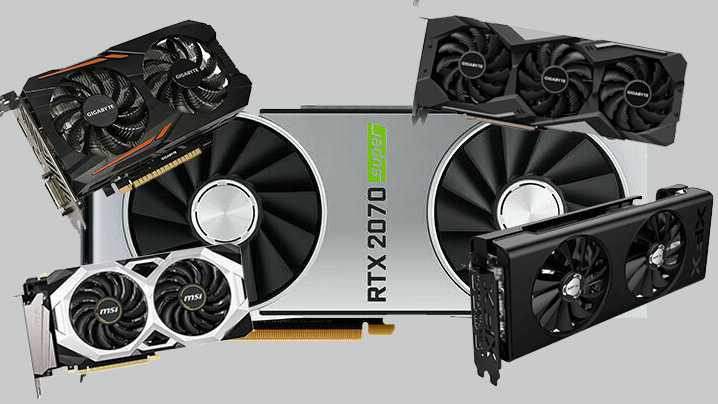
Let us now go to list the most important information that will help you in choosing. There are many GPU graphics cards in the market from AMD or Nvidia, and both of them offer powerful cards for all categories. For example: The best mid-range graphics cards at a price: Geforce GTX 1650 graphics card: It is considered a good start for medium-sized games with an HD 1080 display resolution. It is also suitable for all computer graphics work and managing them efficiently, but do not expect much from it in terms of high frames at the highest gaming settings in heavy and popular games. The GTX 1650 SUPER version is available and offers slightly higher performance in games for additional fps. Geforce GTX 1660TI graphics card: It is a more than wonderful option to get a high gaming experience with a 1080P display resolution. With the Super version, you will get higher and higher capabilities, and it is excellent for the medium and higher category.
AMD RX 5600 XT and RX 5700 XT cards: These are graphics cards aimed at the middle class and higher and are considered a strong competitor to their counterparts from Nvidia and are in the same price category of $300-400. The best modern mid-range graphics card is the RTX 2060, with support for ray tracing technology, artificial intelligence, and a combination of modern GeForce technologies and software suitable for the year 2021, at a price of approximately $349, and you can rely on it for a long time without updating. These mentioned cards are considered excellent for choosing when assembling a mid-range gaming computer in 2021 with a 1080HD display resolution, with the ability to run many games at 4k resolution at a frame rate of 60FPS.
If you want to get a high professional experience for the upper-average category of gaming computers, you should go for the RTX class from Nvidia, whether the 2000 generation or the Nvidia RTX 3000 generation cards, with stronger and more professional support for ray tracing technology within games with support for artificial intelligence processors. These cards will make you get a professional and more powerful experience with games at 4K display resolution with high frames, and they are considered the future now and the most expensive. You may be interested in: The best graphics cards of 2020 for gaming and rendering. A note regarding used graphics cards. Some recommendations may guide you to buying a used graphics card such as the RX 570 / RX 580 or GTX 1050 and some other cards in this category at a cheap price. Despite their strong performance in games and their cheap price, make sure that they have been used and used to a great extent, whether for mining purposes or in games. Therefore, purchasing them is at your responsibility and your reliance on Your experience in
Buying a used computer, and I do not recommend it at all when building or assembling a gaming computer that will last you for two years, for example. Wait a while and buy a new video card with warranty, which is much better. If you find the names of the previous cards in a new box and they are sold in official stores, then they will be at a very high price, equal to GTX16 cards or AMD RX 5600 /XT cards, and it is not worth paying the money because they are older generations compared to them.
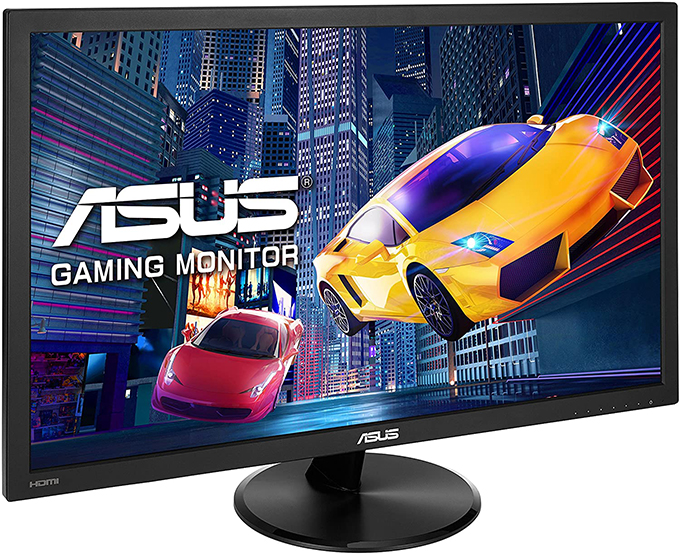
Therefore, invest in purchasing a newer, powerful graphics card if your computer is intended for gaming use. Part Two: A gaming monitor compatible with the GPU Read also: The best cheap gaming monitor 2020 for a PC computer, 1080p or 4K, all sizes Important article: The best cheap gaming processor 2020 Processor nominations: You can go with an Intel Core i5-10400f processor in an average gaming package for $800-1000
Or choose the best and highest AMD Ryzen 3600 processor in this category with 6 cores and 12 threads, or the cheaper Ryzen 3500X. These processors are suitable for streaming, gaming, and content creation, and can be seamlessly compatible with Nvidia's RTX 2070/2080/2080TI cards. If you want to build a game collection at a cheap price and great performance with most games on Full HD 1080 display resolution, you can choose an Intel Core i3-10100f processor with four cores and 8 threads. It competes with the AMD Ryzen 3100 processor, and they are truly the most used processors in cheap game collections ranging from $450-700 and are considered an excellent choice for every beginner gamer.
It can be seamlessly compatible with GTX 16 or Nvidia RTX 2060/2070 graphics cards without frame loss. If you do not already have a budget to buy a graphics card + processor, you can get an APU processor that contains an internal graphics card, such as an AMD RYzen 5 3400 processor that contains an internal RX Vega 11 graphics card to run 2021 games at medium or low resolution with most computer games and get a 45-90 FPS frame rate.
Choosing a motherboard to build a gaming computer
It is based on the port compatible with the processor. For example, 10th generation Intel Core i processors require a motherboard based on the LGA 1200 socket, of which the B460 chipset is available, which is expected to also support 11th generation Intel Core i processors. While AMD processors require choosing a motherboard based on the AM4 socket and the B450 or B550 chip. The differences between motherboards and their different versions from each company are the provision of additional features with higher-quality VRM components for cooling and greater support for overclocking or not.
They also differ in the frequency of RAM, as some boards support up to 3600mhz, others stop at 2666mhz, and some support 2 or 4 RAM ports. There are also motherboards that support high-speed internal Wi-Fi cards for gaming, with support for more PCie ports and more diverse USB ports, and of course some above-average motherboards provide RGP lighting and easy control via software. Each company has economical, medium and professional versions of the motherboard according to the budget and requirements of each user.
Part 5: Storage cards and hard disks One of the basic things is that you will get a SATA HDD to store large data, but it does not have the best performance and speed in transferring and uploading files. SATA or Western Digital provide 1TB - 10TB hard disks at excellent prices, and you will definitely need them, but we will not talk about them much.
Most importantly, is it enough to buy only an HDD here in the gaming computer collection? No, it will not be enough, especially with the availability of SATA SATA, M.2 SSD, or SSD NVME PCIE storage cards that are very efficient and fast in running Windows and downloading game files and programs smoothly. Therefore, do not miss out on purchasing an SSD card in a gaming or graphics computer. If the budget is limited, choose a SATA SSD card with sizes starting from 120GB - 1TB. If you have the addition of an NVME SSD card, which is connected via a dedicated PCIE port on modern motherboards, it certainly provides 6 times faster performance than a SATA SSD.
It is available in several spaces starting from 120GB. A video explaining the difference between HDD - SATA SSD - M.2 NVME card in downloading games. Part 6: Random Memory. I could skip this part and tell you to buy any DDR4 random memory that is compatible with your motherboard, but there is a small note. When choosing AMD Ryzen processors, you will need a higher RAM frequency of 3200mhz or higher to get the best performance.
While Intel Core i 9th/10th processors need a frequency of 2666mhz to 3000mhz, which is suitable for you. Any random memory of 8GB will be the beginning when assembling a medium gaming computer, and the higher it is, the better. 2 x 8GB is definitely very suitable for the medium category. There are other versions of RAM, whether for gaming or versions with a higher frequency and a luxurious design with RGB lighting. These features differ according to the desire of each person and the other.
But there is not much difference in performance if your budget is limited. In the markets, you will find RAM written next to it: 1.65V and another 1.35V. In general, the lower voltage is always slightly better in performance, as it reduces the pressure on the processor’s memory controller with better support for RAM overclocking.
When purchasing a power supply: You must look at the consumption of the graphics card and its need for power, knowing that it is the piece that consumes the most power. You may need a PSU power supply starting from 420 watts and higher - perhaps 500-600 watts, which is excellent for medium graphics cards with support for overclocking operations. Make sure your power supply is 80+BRONZE or 80+GOLD and with this certification it will provide you with the necessary power and more with a longer lifespan.
The article was written by: Ahmed Alaa with the participation of Mustafa Al-Sayed
DROPIDEA
We hope this article has added real value to you. At DROPIDEA, we always strive to deliver high-quality content that helps you grow and evolve in the digital space. Follow us for more useful articles and guides.
Admin
DROPIDEA
Latest Articles

Microsoft Gains $3.2 Billion from Its Investment in Anthropic

Zuckerberg: Billions of People Will Have AI Assistants Within Five Years

Microsoft Enters Direct Competition Against OpenAI and Anthropic

Pangram Raises $9 Million to Detect AI-Generated Content