DesignEvo tool review - the best way to design a free professional logo for your project
 By Admin
You do not need to be a professional in using Photoshop or to hire a professional designer in order to get a distinctive logo for your project. Let me introduce you to the DesignEvo tool to easily design a professional logo for free. The logo is considered an important and essential element that cannot be forgotten when creating any project. It is the symbol of your brand and represents your company and improves its image, as well as attracting more customers or visitors. However, creating a distinctive and well-designed logo is not as easy as you think.
Many project and website owners tend to hire a professional designer to design the logo according to specific ideas and standards. But nowadays; Creating a custom logo is not difficult, there are many online logo design services that are available for free or paid. In this article, we highlight the best online service for creating and designing a professional logo for free and with ease – it is the DesignEvo tool that helps you design a great logo in a matter of minutes even if your design skills are poor.
Read also: 4 sites to get royalty-free music that you can use in videos to create your next project. Advantages of the DesignEvo logo design tool: If you have no idea how to create a distinctive logo for your project, website, or even your YouTube channel, there is no need to worry, as you can simply go to the DesignEvo site to create the appropriate logo with great ease. The site combines many features, well-designed templates, icons, fonts, shapes, and professional editing tools that allow you to design your project logo with complete freedom.
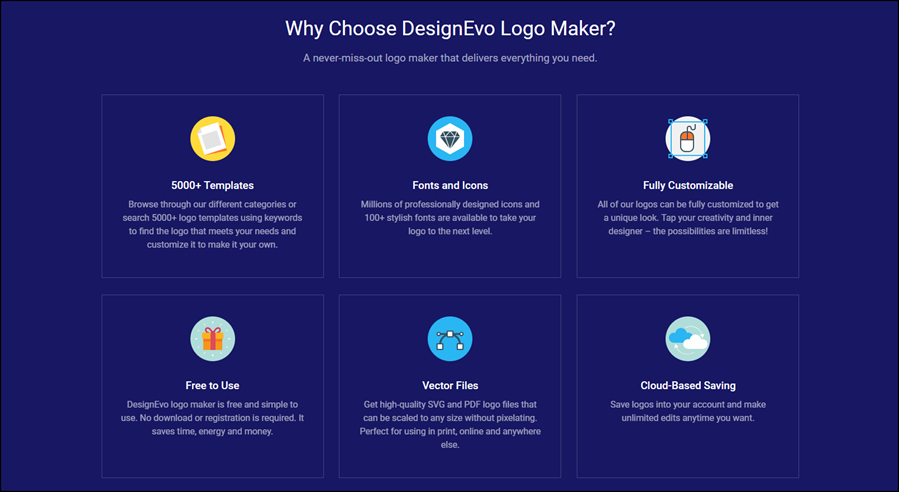
No need to become a professional designer, you can create your own logo in just a few minutes according to your own standards. – DesignEvo tool features: There are more than 5,000 ready-to-use logos in a variety of fields to find the logo that meets your needs. It provides a huge collection of professionally designed icons, elegant fonts, and distinctive shapes.
You can fully customize ready-made logos for a unique and creative look. Using the site is easy to use, no software downloads or account creation required. You can get the logo in the highest quality and in different formats, ideal for printing.
You can save the logos you created on the cloud in your account to return to them at any time. Note: The DesignEvo website does not support the (correct) Arabic language. How to design a professional logo for free using the DesignEvo tool. After visiting the DesignEvo website, you can create your own account if you want to benefit from the feature of saving notifications in the cloud, or you can use it directly without creating an account. All you have to do is click on the “Make a Logo” button and then you will be able to browse a very large collection of logos ready for use. These logos vary between logos for businesses, notices for technology, arts, Education, food, fashion, real estate, sports, and much more. You can browse through them until you see the logo that suits your project field and then click on it.
After selecting the appropriate logo, a pop-up window will appear where you write the name of your project, website, or YouTube channel, whatever it is, then write a brief description about the goal of this project (optional), then after finishing, click the Get Started button. Modify the logo to what suits you. Now it is time to modify. The complete control panel will appear to you, where you can freely modify the logo to reach the best possible result. You can start by going to the “ICON” section to get very distinctive symbols and icons that you can add to the logo or combine with it.
Moreover, you can browse a long list of fonts supported on the site through the “TEXT” section, where you can select any font and use it directly in the design, and by moving to the “Art” section, you will find out-of-the-ordinary font styles and designs that will take the logo to another level, so I advise you to try it. At the top of the design, you will also find a set of options to control the text in terms of size, color, letter spacing, etc. If you go to the “Shape” section, you will find a large number of shapes divided into 7 various sections. Within each section there are creative shapes, not only square, circle, triangle, and rectangle, but there is a batch of professionally designed shapes.
Once you select any shape, you can change its color, size, or clarity, and control the way it is displayed as you wish. As for the white background of the logo, it is default but not fixed. You can easily add a custom background or according to colors or a group of overlapping colors. You can control that after moving to the Background section. If you do not want to add a background, the logo will automatically be saved in PNG format with a transparent background so that it is suitable for placing it inside the site or printing it on papers.
If you have made all the necessary modifications to the logo and want to see how it looks in reality, click the “Preview” button in the top bar and the DesignEvo website will display different images to see how the logo looks when used on a business card, T-shirt, book cover, website, and many other marketing materials. It provides great visual support that helps you see if the logo is now suitable when used in different situations or if it still needs some adjustments.
After completing the modification... How to download the logo?
Have you now made all the appropriate adjustments? Have you made sure that the logo is suitable for all uses? Well, now it's time to get that logo; You can click on the Download button above to display a page similar to the one in the image above.
Here you can choose from three different packages to get the logo you just designed. If you want to get it in low quality and in PNG format + background, you can download it for free by choosing the “Free” package. While if you want to download it in very high quality and in PNG format + a transparent background and lifetime support, and the logo is ready to be printed and modified, then you can choose the “Basic” package for $20. But if you want to get all the benefits provided by the site, you will need to choose the “Plus” package for $40, which is superior to the previous package in terms of the ability to download the vector logo, while allowing the logo to be registered as a trademark by the site. So the logo is yours and is deleted from the ready-made logos.
I believe that these prices are very reasonable and affordable if you do not want to cooperate with a professional designer. If you want to use a paid package, just click on the “Choose” button below the package you want. Another window will appear for you to enter your credit card information in order to purchase the package. Surprise: Exclusively for followers of the Majnoon Computer website, you can get a 20% discount when purchasing any of the paid packages.
To benefit from this discount, on the purchase page, click on the “Have a coupon” option, then enter the code “DEP2F8D7” and click on the “Redeem” button to get an immediate discount on the price of the package. Once the purchase is completed, the “Thank You for your Purchase” page will appear and you will be able to download the logo directly after clicking on the Download Now button. Just select the location to save the logo and press Save. If you choose the “Plus” package, you will get 4 folders (as in the picture), where you will find the vector PDF logo in the vector folder, the logo in its original size in the original folder, the logo in large size and high resolution in the high-res folder, and the fonts used in the font folder.
DROPIDEA
We hope this article has added real value to you. At DROPIDEA, we always strive to deliver high-quality content that helps you grow and evolve in the digital space. Follow us for more useful articles and guides.
Admin
DROPIDEA
Latest Articles

Microsoft Gains $3.2 Billion from Its Investment in Anthropic

Zuckerberg: Billions of People Will Have AI Assistants Within Five Years

Microsoft Enters Direct Competition Against OpenAI and Anthropic

Pangram Raises $9 Million to Detect AI-Generated Content